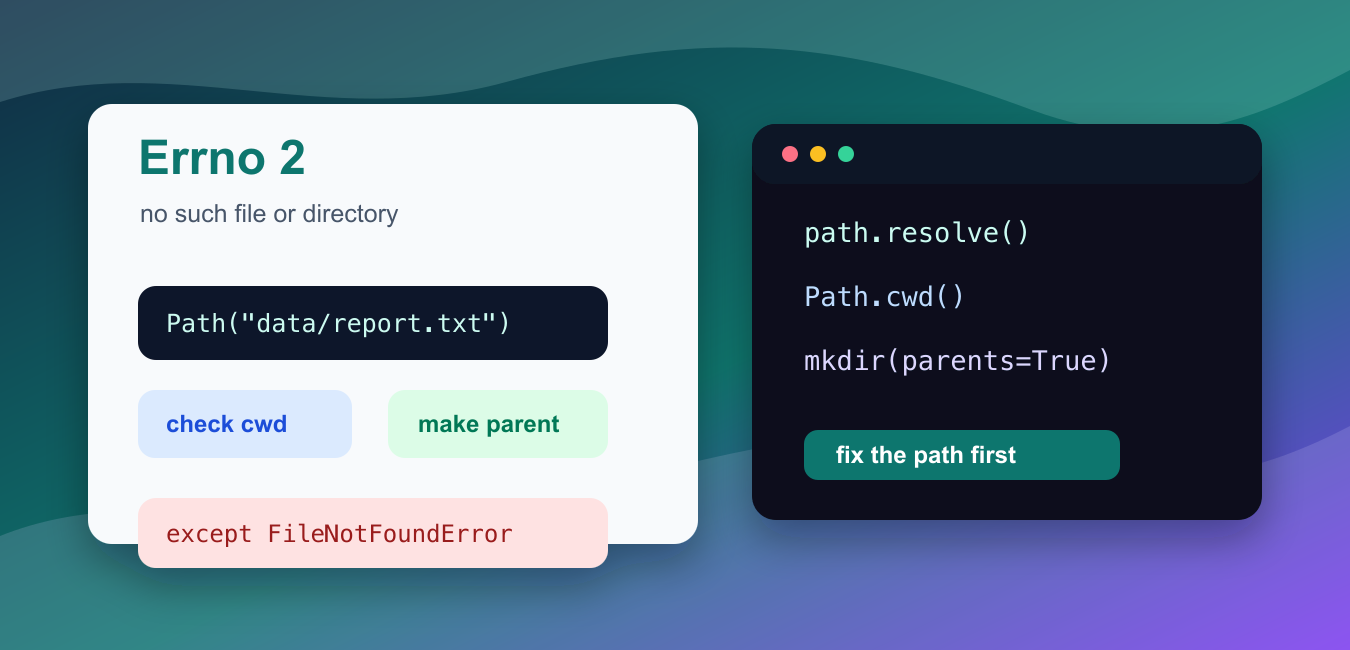
Quick answer: Python Errno 2 means the operating system could not find the requested path at the time of the operation. Inspect the resolved path, working directory, filename spelling, parent directories, environment, and container mount before changing the code.
IOError: [Errno 2] No such file or directory means Python tried to read, write, rename, or list a path that did not exist at that moment. In modern Python, the more specific exception is usually FileNotFoundError, which is a subclass of OSError. Older examples and some tracebacks still mention IOError, so the fix is the same: inspect the path your code is using.
The official Python documentation covers FileNotFoundError, pathlib, and os.getcwd().
The most common cause is a relative path being resolved from a different current working folder than the one you expected. A script launched from an editor, terminal, notebook, task runner, or web server may start in a different folder. The second common cause is a misspelled file name or a file extension mismatch. On case-sensitive systems, Data.csv and data.csv are different names.
Do not hide the error by catching every exception. First print or log the exact path, check whether it is absolute or relative, and decide whether the file should already exist or should be created by your program. Reading requires an existing file. Writing can create the final file, but it cannot create missing parent folders unless you create them first.
The examples below use temporary folders or safe sample paths. They show the checks you can add before changing production code.
Catch FileNotFoundError Directly
When a read operation points to a missing file, catch FileNotFoundError near the code that knows how to recover.
from pathlib import Path

path = Path("data/report.txt")

try:
    text = path.read_text(encoding="utf-8")
except FileNotFoundError:
    print(f"Missing file: {path}")
else:
    print(text[:40])
This makes the failure explicit and keeps unrelated errors visible. For example, a permission problem should not be reported as a missing file.
If the file is required input, fail with a clear message. If it is optional input, choose a default value and continue.
Use Absolute Paths When Debugging
An absolute path removes uncertainty about where Python is looking.
from pathlib import Path
from tempfile import TemporaryDirectory

with TemporaryDirectory() as folder:
    path = Path(folder) / "report.txt"
    path.write_text("sales,42\n", encoding="utf-8")

    print(path.resolve())
    print(path.read_text(encoding="utf-8").strip())
Use resolve() while debugging to see the full filesystem location. Once the code is correct, keep the path-building logic readable with pathlib.Path.
Absolute paths are especially useful in notebooks, scheduled jobs, and deployed services where the startup folder may not match your project folder.
Check The Current Working Folder
Relative paths are interpreted from the current working folder, not from the file shown in your editor.
from pathlib import Path
from tempfile import TemporaryDirectory
import os

with TemporaryDirectory() as folder:
    os.chdir(folder)
    print(Path.cwd())
    print(Path("input.txt").resolve())
If the printed folder is not the folder that contains your data, either launch the script from the right place or build paths from a known base folder.
Changing the working folder with os.chdir() can help in small scripts, but larger programs are easier to maintain when each path is built explicitly.
Create Parent Folders Before Writing
Opening a file for writing can create the file, but it will fail if the parent folder does not exist.
from pathlib import Path
from tempfile import TemporaryDirectory

with TemporaryDirectory() as folder:
    output = Path(folder) / "reports" / "daily.txt"
    output.parent.mkdir(parents=True, exist_ok=True)
    output.write_text("done\n", encoding="utf-8")

    print(output.exists())
    print(output.read_text(encoding="utf-8").strip())
The parents=True option creates any missing folders in the chain. exist_ok=True avoids an error when the folder already exists.
Use this pattern for generated reports, cache files, logs, exports, and any output path created by your program.
Build Paths Beside The Script
For project files that live beside a script, build the path from the script location instead of assuming the launch folder.
from pathlib import Path

base_dir = Path(__file__).resolve().parent if "__file__" in globals() else Path.cwd()
config_path = base_dir / "config.toml"

print(base_dir)
print(config_path.name)
This pattern works well for bundled configuration, templates, fixtures, and small local data files. It also makes tests more predictable because the path does not depend on where the test command started.
In notebooks, __file__ is usually unavailable, so the example falls back to the current folder.
Handle Missing Directories Separately
Directory operations can raise the same kind of error when the folder name is wrong.
from pathlib import Path
from tempfile import TemporaryDirectory

with TemporaryDirectory() as folder:
    root = Path(folder)
    missing_folder = root / "uploads"

    try:
        names = [item.name for item in missing_folder.iterdir()]
    except FileNotFoundError:
        names = []
        print(f"Missing folder: {missing_folder.name}")

    print(names)
Handle a missing directory differently from an empty directory. An empty directory exists and simply contains no entries. A missing directory means your setup, path building, or input name is wrong.
Before deploying the fix, test from the same environment that produced the traceback. That means the same command, scheduler, notebook kernel, container, or web process. A path that works from your terminal may still fail when another process starts from a different folder.
In short, print the resolved path, confirm the current working folder, check spelling and case, create parent folders before writing, and catch FileNotFoundError only where the program can give a useful recovery path.
Read The Actual Path
Print or log a safely redacted resolved path and the process working directory during diagnosis. A relative path is interpreted from the process directory, which can differ between an IDE, shell, test runner, and service.
Check Names And Parents
Look for spelling, case sensitivity, extensions, hidden characters, and missing parent directories. A path that appears correct in a file browser may not match the bytes or case used by the runtime.
Separate Environment Problems
Containers, scheduled jobs, remote workers, and web servers can have different mounts, users, and environment variables. Compare the runtime environment rather than assuming the local development machine is representative.
Create Only What You Own
If the application owns a generated directory, create its parents explicitly and handle races. Do not automatically create arbitrary user-supplied paths or mask a deployment configuration error.
Handle The Operation Boundary
An existence check can race with a delete or rename. Open or read the resource inside a try block, catch FileNotFoundError where recovery is meaningful, and preserve the original context for diagnostics.
Test Failure Modes
Test relative and absolute paths, missing files, missing parents, permissions, case-sensitive names, changed working directories, and concurrent removal. Assert the recovery message without leaking sensitive paths.
The official FileNotFoundError documentation defines the exception, while os.path documents path inspection. Related Python Pool references include tests and safe logging.
For related file troubleshooting, compare redacted path logging, environment tests, and configuration mappings before changing a path.
Frequently Asked Questions
What does Python Errno 2 mean?
It means the operating system reported that a file or directory required by the operation could not be found.
Why does a path work in a terminal but fail in Python?
The process may have a different working directory, environment, user, container, or relative-path base than the terminal session.
Should I use an absolute path to fix Errno 2?
An absolute path can diagnose the issue, but a portable application should usually resolve paths from a known project or configuration base rather than hard-code a machine-specific location.
How can I prevent Errno 2?
Validate inputs, create required parent directories, use context managers, log the resolved path safely, and handle FileNotFoundError at the operation boundary.