Quick answer: Choose a Python framework by matching the problem, deployment model, performance needs, integrations, security, maintenance outlook, and team capability. A small representative prototype and current project evidence are more useful than a popularity list.
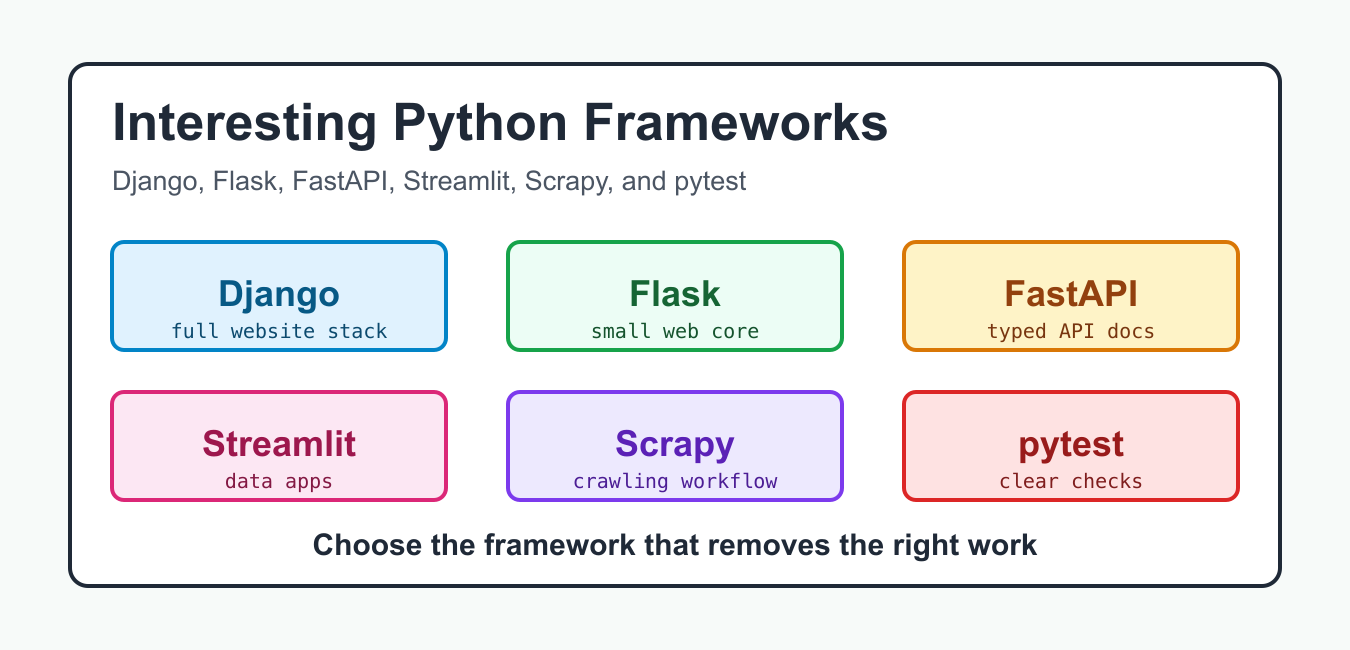
Interesting Python frameworks are easier to compare when you start with the job they do. Django gives you a large web stack with routing, settings, templates, database models, and an admin workflow. Flask gives you a small WSGI web core that can grow through extensions. FastAPI focuses on typed API endpoints and generated OpenAPI docs. Streamlit turns a regular Python script into a data app. Scrapy is built for crawling sites and extracting structured data. pytest is not a web framework, but it belongs in this list because a modern Python project needs fast, readable tests around every framework choice. For mobile-specific framework, packaging, and build tradeoffs, continue with Python for Android Development Guide.
This guide is source-backed by the official docs: the Django tutorial, Flask quickstart, FastAPI first steps, Streamlit basic concepts, Scrapy tutorial, and pytest getting started. The examples below use only the Python standard library so each block can run locally during review. After you pick a tool, move the same routing, typing, parsing, and assertion ideas into the official package.
Quick Framework Selection
The right choice depends on the default shape you want. Choose Django when you need a database-backed site with account areas, admin screens, forms, and strong conventions. Choose Flask when you want a compact web app or service and prefer to choose the surrounding pieces yourself. Choose FastAPI when request and response schemas are part of the product contract. Choose Streamlit when the output is an internal tool, prototype, dashboard, or model demo where Python users should move quickly. Choose Scrapy when link following, throttling, item extraction, and repeatable crawl runs matter. Choose pytest for the test layer around any of these.
from dataclasses import dataclass

@dataclass(frozen=True)
class ProjectNeed:
    admin: bool = False
    typed_api: bool = False
    dashboard: bool = False
    crawl: bool = False
    tests: bool = False

def pick_framework(need):
    if need.tests:
        return "pytest"
    if need.crawl:
        return "Scrapy"
    if need.dashboard:
        return "Streamlit"
    if need.typed_api:
        return "FastAPI"
    if need.admin:
        return "Django"
    return "Flask"

samples = [
    ProjectNeed(admin=True),
    ProjectNeed(typed_api=True),
    ProjectNeed(dashboard=True),
    ProjectNeed(crawl=True),
    ProjectNeed(tests=True),
    ProjectNeed(),
]

for sample in samples:
    print(pick_framework(sample))
Django For Full Websites
Django is the most complete option here. The official tutorial starts with a project, an app, URL routing, and a view, then moves into the database and admin. That is the point of Django: a project can contain multiple apps, and an app can move between projects when it is designed cleanly. Use Django when the product is a real website, not just a small endpoint. The framework pays off when you want user accounts, admin editing, content workflows, permissions, forms, and database migrations to follow a consistent pattern.
The tradeoff is that Django has more structure to learn. For a one-file webhook or a tiny prototype, that structure can feel heavy. For a site that will keep growing, the structure is often the advantage because developers can find the same concepts in the same places.
from dataclasses import dataclass

@dataclass(frozen=True)
class Poll:
    question: str
    choices: tuple[str, ...]

def poll_view_context(poll):
    return {
        "heading": poll.question,
        "choice_count": len(poll.choices),
        "choices": sorted(poll.choices),
    }

poll = Poll("Which framework fits this site?", ("Django", "Flask", "FastAPI"))
context = poll_view_context(poll)
print(context["heading"])
print(", ".join(context["choices"]))
Flask For Small Web Apps
Flask is attractive when you want the web layer to stay small. Its quickstart introduces a minimal app, a route decorator, request data, templates, and the development server. Flask works well for internal services, webhook handlers, lightweight sites, and prototypes that may later gain templates, auth, background work, or database access through extensions. It also helps teams learn the HTTP request-response loop because there is less framework code hiding the shape of each route.
The main risk is under-designing the project after it grows. If routes, settings, and database access remain scattered, a compact Flask service can become hard to maintain. Keep the app factory, config, routes, and tests organized as soon as the project has more than a few endpoints.
def tiny_wsgi_app(environ, start_response):
    path = environ.get("PATH_INFO", "/")
    if path == "/":
        status = "200 OK"
        body = b"Hello from a tiny WSGI app"
    else:
        status = "404 Not Found"
        body = b"Missing"

    headers = [
        ("Content-Type", "text/plain"),
        ("Content-Length", str(len(body))),
    ]
    start_response(status, headers)
    return [body]

captured = {}

def start_response(status, headers):
    captured["status"] = status
    captured["headers"] = headers

response = b"".join(tiny_wsgi_app({"PATH_INFO": "/"}, start_response))
print(response.decode())
print(captured["status"])
FastAPI For Typed APIs
FastAPI is a strong fit when the application boundary is JSON over HTTP and the contract matters. Its first-steps docs show a FastAPI app, a path operation, and a server command. In practical projects, the standout benefit is that Python type hints become part of validation, editor help, and generated API docs. That makes it a good choice for public APIs, internal platform services, model-serving endpoints, and backends consumed by frontend teams.
FastAPI is not limited to simple APIs. It has docs for dependencies, security, forms, files, background tasks, testing, WebSockets, and larger multi-file apps. Still, it is worth starting with a narrow API surface and clear schemas before adding advanced features.
from dataclasses import asdict, dataclass
from json import dumps

@dataclass(frozen=True)
class Item:
    name: str
    price: float
    in_stock: bool = True

def create_item(payload):
    item = Item(
        name=str(payload["name"]),
        price=float(payload["price"]),
        in_stock=bool(payload.get("in_stock", True)),
    )
    return {"ok": True, "item": asdict(item)}

result = create_item({"name": "keyboard", "price": "79.50"})
print(dumps(result, sort_keys=True))
Streamlit For Data Apps
Streamlit is designed for Python-first interactive apps. The official concepts page describes adding Streamlit commands to a normal Python script and running it with streamlit run. That makes it useful for analytics, machine learning demos, operations dashboards, teaching tools, and quick internal interfaces. A team can turn data preparation code into a small app without creating a full frontend project.
The tradeoff is product scope. Streamlit is excellent when Python users are the builders and the interface is mostly charts, tables, forms, and controls. For a public multi-page product with deep custom UI, Django, Flask, or FastAPI plus a frontend may be a better base.
from collections import defaultdict

records = [
    {"month": "Jan", "framework": "Django", "score": 7},
    {"month": "Jan", "framework": "FastAPI", "score": 9},
    {"month": "Feb", "framework": "Django", "score": 8},
    {"month": "Feb", "framework": "FastAPI", "score": 10},
]

def monthly_totals(rows):
    totals = defaultdict(int)
    for row in rows:
        totals[row["month"]] += row["score"]
    return dict(sorted(totals.items()))

def chart_points(totals):
    return [{"month": month, "total": total} for month, total in totals.items()]

print(chart_points(monthly_totals(records)))
Scrapy For Crawling Work
Scrapy is focused on crawling and extraction. Its tutorial walks through creating a project, writing a spider, exporting scraped data, following links recursively, and passing spider arguments. Use Scrapy when the core job is repeatable collection from pages, not serving a web app. It gives you crawling structure that a hand-written requests loop usually lacks once retries, politeness, item pipelines, and link traversal enter the work.
Scrapy is powerful, but it should be used responsibly. Check site terms, robots guidance, rate limits, and data ownership before collecting pages. For small one-page parsing tasks, the standard library or a simple requests-based script may be enough. For scheduled extraction across many pages, Scrapy is often the cleaner long-term choice.
pytest For Confidence
pytest rounds out the stack because every framework decision needs verification. Its getting-started docs show plain assert statements, discovery of files named with test prefixes, exception checks, classes, fixtures, and concise output modes. That style fits Django views, Flask routes, FastAPI endpoints, Streamlit data helpers, and Scrapy parsers. Even when a framework supplies its own testing helpers, pytest can usually coordinate the suite.
from html.parser import HTMLParser

class QuoteParser(HTMLParser):
    def __init__(self):
        super().__init__()
        self.in_quote = False
        self.quotes = []

    def handle_starttag(self, tag, attrs):
        attrs_map = dict(attrs)
        if tag == "span" and attrs_map.get("class") == "text":
            self.in_quote = True

    def handle_endtag(self, tag):
        if tag == "span":
            self.in_quote = False

    def handle_data(self, data):
        if self.in_quote:
            self.quotes.append(data.strip())

def extract_quotes(markup):
    parser = QuoteParser()
    parser.feed(markup)
    return [quote for quote in parser.quotes if quote]

def test_extract_quotes():
    markup = '<span class="text">Simple is better than complex.</span>'
    assert extract_quotes(markup) == ["Simple is better than complex."]

test_extract_quotes()
print(extract_quotes('<span class="text">Read the docs first.</span>'))
How To Pick A Sensible Stack
For a content-heavy or database-heavy site, start with Django and only move smaller if the conventions are slowing you down. For a small service or route-driven app, start with Flask and add only the extensions you can explain. For an API product, start with FastAPI and write the schemas early. For an internal analytics app, start with Streamlit and keep the data functions separated from the UI calls so they stay testable. For extraction, start with Scrapy when crawling is the main job. In all cases, add pytest coverage around the smallest pure Python units first, then test the framework boundary.
The most interesting Python framework is the one that removes accidental work without hiding the part your team must understand. If you need a complete website, Django is interesting because it ships a full system. If you need a clear web core, Flask is interesting because it stays compact. If you need typed API contracts, FastAPI is interesting because docs and validation grow from the endpoint code. If you need quick data interfaces, Streamlit is interesting because the script becomes the app. If you need extraction, Scrapy is interesting because crawling becomes a managed workflow. If you need trust, pytest is interesting because it makes behavior cheap to check. For a source-backed production case study of a Python web framework at scale, read How Instagram Uses Django and Python.
Classify The Project
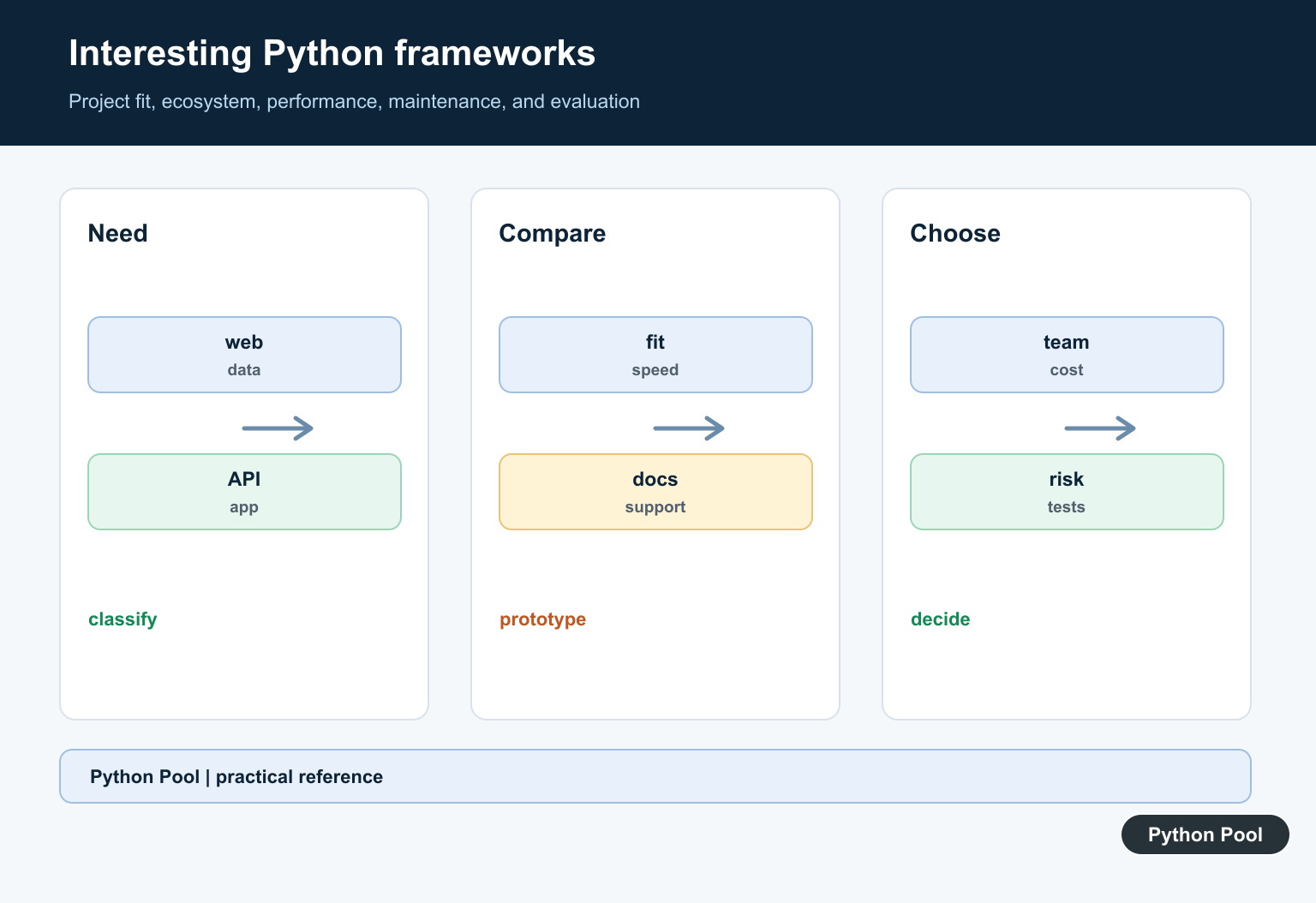
Web applications, APIs, data pipelines, automation, scientific work, desktop interfaces, and mobile apps need different abstractions. Start with the workflow and operating constraints.
Compare The Core Contract
Review routing, data access, validation, dependency injection, async behavior, templates or UI, testing, observability, and deployment. A framework’s convenience should not hide its runtime behavior.
Check Current Health
Look at current documentation, release activity, supported Python versions, issue response, security advisories, compatibility, license, and upgrade guidance before adopting a framework.
Prototype The Hard Part
Build the riskiest representative slice: authentication, large data, background work, device APIs, or deployment. Measure the actual bottleneck rather than benchmarking an unrelated example.
Plan Operational Costs
Consider memory, startup time, logs, monitoring, CI, dependency upgrades, team onboarding, and incident response. Framework choice is an operational decision as much as a coding decision.
Test The Decision
Record the requirements, compare alternatives, run a small proof of concept, test failure paths, and revisit the choice when the scope or deployment target changes.
Use the official Python application overview and each framework’s current documentation. Related Python Pool references include tests and logging.
For related framework evaluation, compare prototype tests, operational logging, and configuration contracts before choosing a tool.
Frequently Asked Questions
Which Python framework should I learn?
Choose based on the application type, deployment target, team skills, ecosystem, documentation, and maintenance outlook rather than popularity alone.
What should I compare between Python frameworks?
Compare routing or data abstractions, performance, integrations, testing, security defaults, release cadence, community, license, and operational complexity.
Are newer Python frameworks always better?
No. A newer tool may fit a specific problem, but maturity, support, upgrade paths, and production evidence can matter more than novelty.
How can I evaluate a framework quickly?
Build a small representative slice, measure the workflow that matters, inspect failure handling and tests, and review the project’s current maintenance signals.