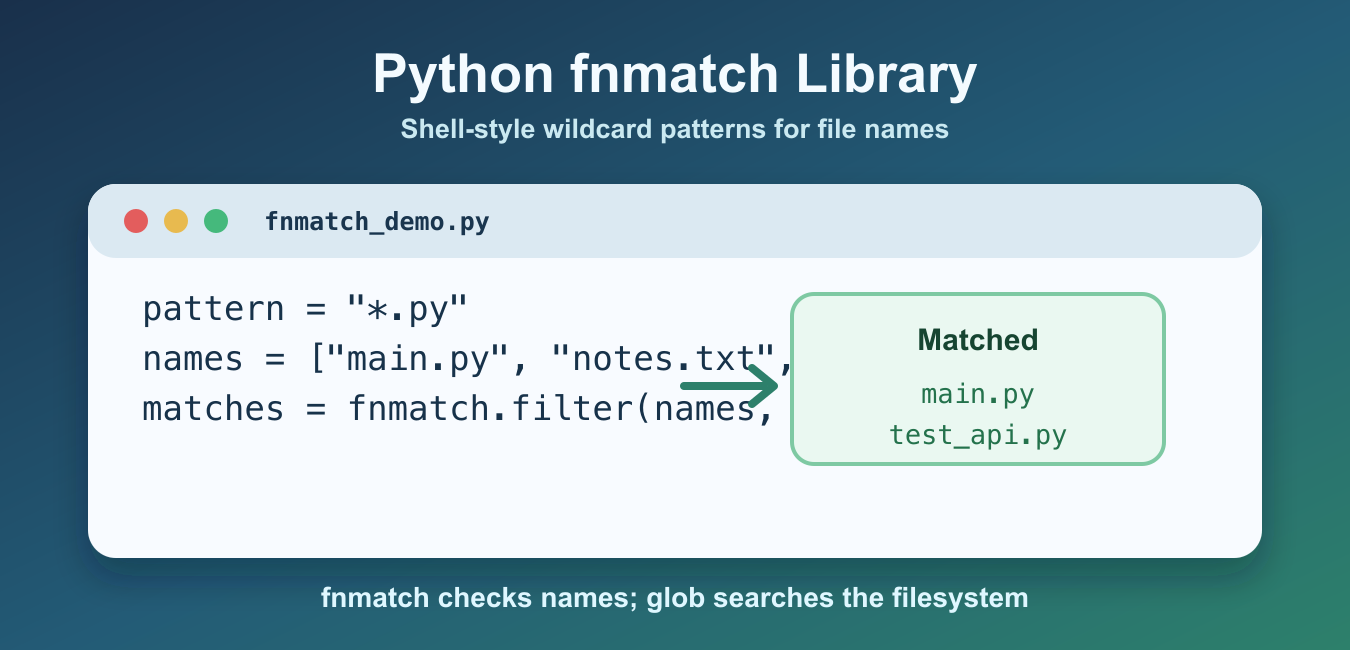
Quick answer: The fnmatch module matches strings against shell-style wildcard patterns. Use * for any sequence, ? for one character, and bracket expressions for character classes. fnmatch is useful for a list of names, but it is not a complete recursive path policy, so choose pathlib, glob, or os.walk when directory traversal matters.
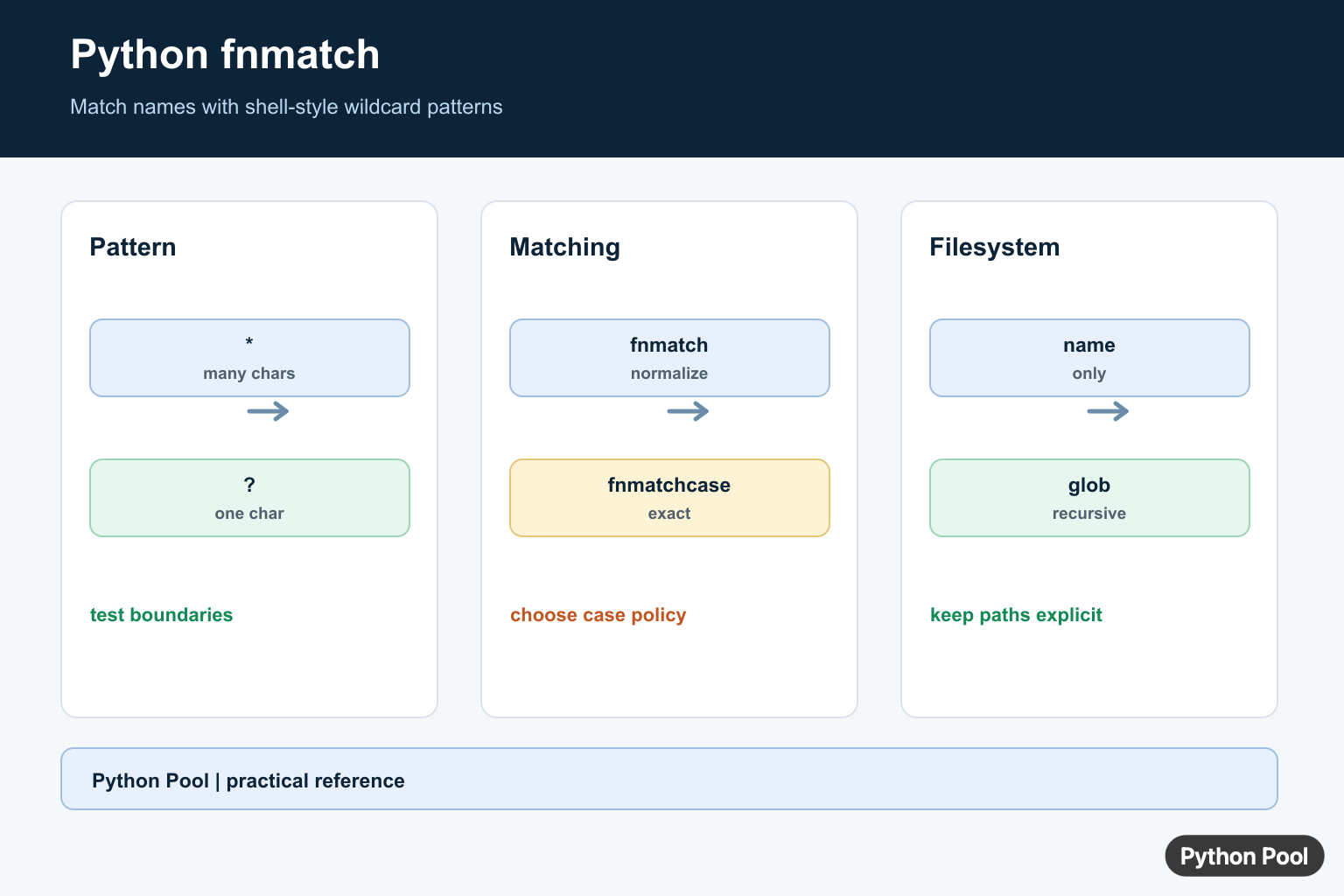
The Python fnmatch library matches strings against Unix shell-style wildcard patterns. It is useful when you already have file names, user-supplied names, or directory entries and want to check whether each one fits a simple pattern. The official Python fnmatch documentation describes these rules as shell-style wildcards, not full regular expressions.
The key point is that fnmatch matches names; it does not walk directories by itself. Use os.listdir(), pathlib, or glob to collect paths, then use fnmatch when you need direct pattern checks on those names. For directory basics, see the Python current directory guide.
The common wildcard characters are * for any sequence, ? for one character, [abc] for one allowed character, and [!abc] for one excluded character. These patterns are intentionally small and readable. If you need advanced text matching, translate the pattern or use re directly.
Use these patterns for file names and simple labels, not for parsing structured text. That keeps the rule obvious to the next reader and avoids turning a small wildcard check into a hidden validation system.
Match A File Name With fnmatch()
fnmatch.fnmatch() returns True or False for one name and one pattern. On systems with case-insensitive file names, Python may normalize case before comparing. That makes it convenient for everyday file-name checks.
from fnmatch import fnmatch

names = ["report.txt", "notes.md", "data.txt", "script.py"]
text_files = [name for name in names if fnmatch(name, "*.txt")]

print(text_files)
This is the simplest form for filtering a list that is already in memory. The pattern *.txt means any name ending with that extension. The function does not open the files and does not check whether they exist.
Use fnmatchcase() For Exact Case
fnmatch.fnmatchcase() skips operating-system case normalization and compares the pattern exactly as written. Use it when uppercase and lowercase should be treated differently across every platform.
from fnmatch import fnmatchcase

names = ["DATA.csv", "data.csv", "Data.csv"]
matches = [name for name in names if fnmatchcase(name, "data*.csv")]

print(matches)
This example only keeps the lowercase name because the pattern starts with lowercase data. If your application needs predictable behavior on Windows, macOS, and Linux, choose fnmatchcase() when case must be strict.
Filter Names With fnmatch.filter()
fnmatch.filter() applies one pattern to a list of names and returns the matching names. It is a concise alternative to writing the same list comprehension yourself.
from fnmatch import filter

names = ["main.py", "README.md", "test_api.py", "config.toml"]
python_files = filter(names, "*.py")

print(python_files)
This function is useful for short, direct filters. If you need to apply extra checks, combine patterns, or transform the names while looping, a normal for loop or list comprehension is often clearer.
Scan A Directory With pathlib
Because fnmatch does not search the filesystem by itself, a common pattern is to list a directory first and then match each path name. The pathlib documentation covers the modern path API used here.
from fnmatch import fnmatch
from pathlib import Path

root = Path(".")
matches = [path.name for path in root.iterdir() if fnmatch(path.name, "test_*.py")]

print(matches)
This keeps filesystem access separate from pattern matching. Use path.name when the pattern should match only the final file name. Use the full path string only when the directory segments are intentionally part of the pattern.
Translate A Pattern To Regex
fnmatch.translate() converts a shell-style pattern into a regular expression string. This is useful when you want to compile the translated pattern once and reuse it many times.
from fnmatch import translate
import re

pattern = "data_[0-9][0-9].csv"
regex = re.compile(translate(pattern))

print(bool(regex.match("data_24.csv")))
print(bool(regex.match("data_final.csv")))
The translated expression is generated for you, so you do not need to hand-write a regular expression for a simple wildcard pattern. If your matching rules are already complex, start with the re module instead of forcing them through fnmatch.
Match Multiple Patterns
fnmatch.filter() accepts one pattern at a time. To match multiple patterns, test each name with any(). This is clearer than trying to pass a list of patterns into filter().
from fnmatch import fnmatch

names = ["main.py", "notes.txt", "archive.zip", "README.md"]
patterns = ["*.py", "*.txt"]

matches = [name for name in names if any(fnmatch(name, pattern) for pattern in patterns)]

print(matches)
Use the same idea for exclusions by negating a match. For example, keep names where not fnmatch(name, "*.tmp") is true. This keeps include and exclude rules explicit.
fnmatch vs glob
fnmatch checks a string against a pattern. glob searches the filesystem and returns matching paths. Use glob when the pattern itself should find files, and use fnmatch when you already have names and want a lightweight matcher. The glob documentation explains recursive path expansion and filesystem search behavior.
For most file-management scripts, a practical split is simple: collect names with pathlib, os.listdir(), or glob, then filter with fnmatch if the selection logic is easiest to express with shell-style wildcards. Keep in mind that fnmatch does not validate user input for security by itself. It only answers whether a string matches a pattern.
The fnmatch module is best for readable wildcard checks such as *.py, data_??.csv, and test_*. Reach for fnmatchcase() when case must be exact, filter() for one-pattern list filtering, and translate() when a wildcard pattern needs to become a compiled regular expression.
Match Common Filename Patterns
fnmatch() answers whether one name matches a pattern. Patterns describe the whole string, so include the suffix or prefix you intend to accept. Keep patterns readable and treat them as data when they come from configuration.
from fnmatch import fnmatch

names = ["app.py", "README.md", "test_api.py", "data.csv"]
for name in names:
    if fnmatch(name, "*.py"):
        print(name)
Use Wildcards And Character Classes
An asterisk matches any sequence, a question mark matches one character, and bracket expressions match a selected character set or range. Test representative names, including empty or unusually long names, before using a pattern to include or delete files.
from fnmatch import fnmatch

patterns = ["report-??.csv", "image[0-9].png", "[!_]*"]
values = ["report-01.csv", "image7.png", "_private.txt"]
for pattern in patterns:
    print(pattern, [value for value in values if fnmatch(value, pattern)])
Filter Lists And Control Case
fnmatch.filter() is convenient for a list of names. fnmatch() applies operating-system case normalization, while fnmatchcase() always compares case exactly. Decide whether a pattern such as *.PY should match file.py, and test on the systems where the result matters.
import fnmatch

names = ["README", "readme", "Readme"]
print(fnmatch.filter(names, "readme"))
print([name for name in names if fnmatch.fnmatchcase(name, "readme")])
Keep Path Boundaries Explicit
fnmatch treats its input as a string and does not turn a wildcard into a safe recursive file operation. Match Path.name when only the filename should matter, or use a path-aware traversal and apply a clear root, extension, and symlink policy before mutating files.
from pathlib import Path
from fnmatch import fnmatch

root = Path("reports")
for path in root.rglob("*"):
    if path.is_file() and fnmatch(path.name, "*.csv"):
        print(path)
Python’s fnmatch documentation defines shell-style patterns, case handling, filter(), and translate(). For recursive discovery, compare the path-aware behavior of glob before using a string match as a filesystem operation.
For related filename workflows, compare os.listdir(), file-existence checks, and path creation with pathlib when a wildcard match becomes a filesystem operation.
Frequently Asked Questions
What is Python fnmatch used for?
It matches strings such as filenames against shell-style wildcard patterns including *, ?, and character classes in square brackets.
What is the difference between fnmatch() and fnmatchcase()?
fnmatch follows operating-system case-normalization rules, while fnmatchcase performs a case-sensitive match without normalizing case.
How do I filter filenames with fnmatch?
Use fnmatch.filter(names, pattern) for a list of names, or iterate and call fnmatch() when each result needs additional handling.
Can fnmatch match full paths?
It matches strings, but path separators are not special to fnmatch; use pathlib, glob, or a path-aware policy when directory boundaries matter.