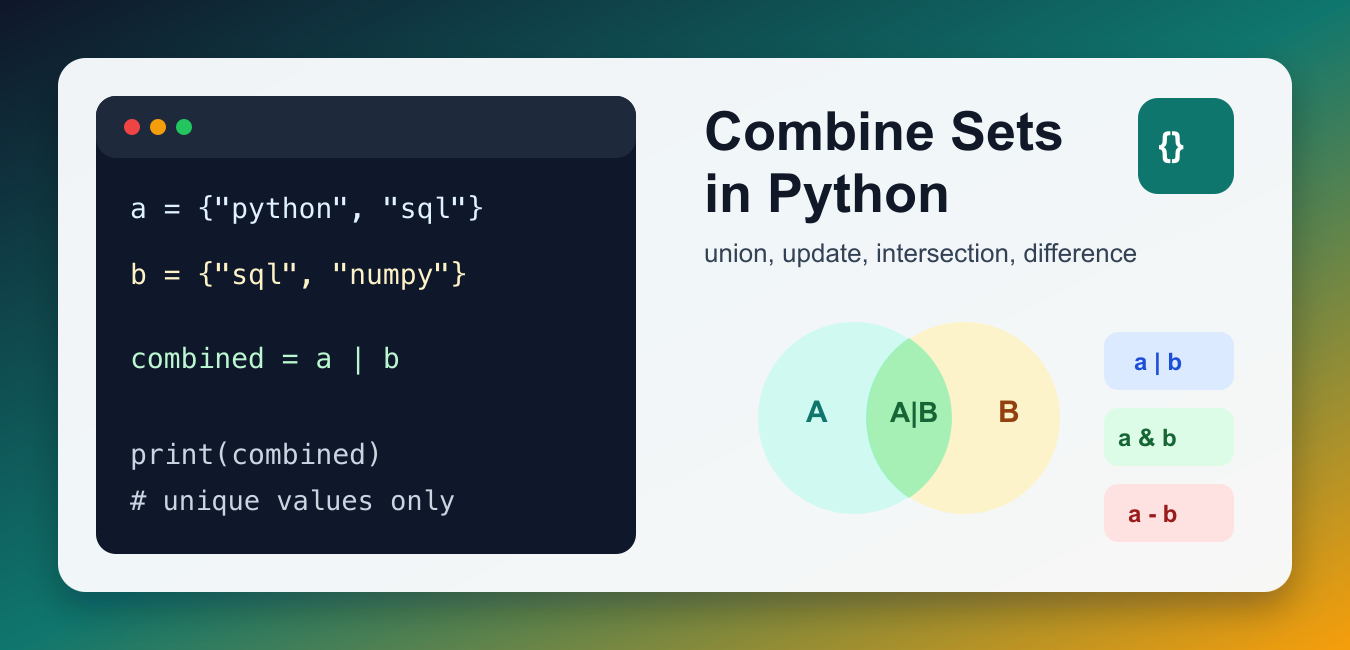
Quick answer: Combine sets with a | b or a.union(b) when you want a new set of unique values. Use update() or |= when mutating an existing set is intentional, and choose intersection, difference, or symmetric difference when the relationship is narrower than a union.
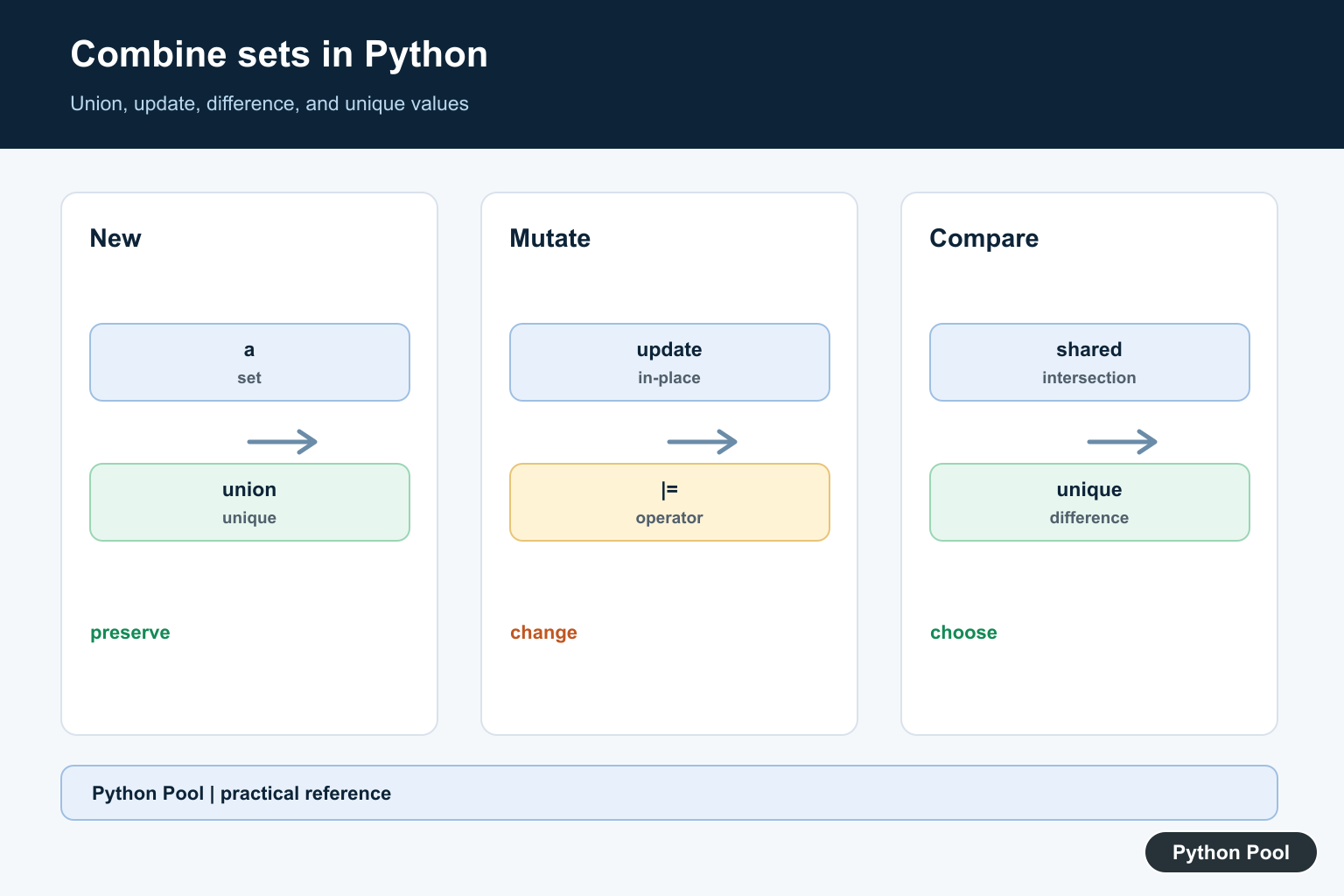
To combine sets in Python, use set.union() or the | operator when you want all unique values from both sets. Use update() when you want to modify an existing set in place. Python sets automatically remove duplicates, so the result contains each value only once.
Sets are useful when membership and uniqueness matter more than order. They work well for tags, IDs, categories, permissions, and other collections where repeated values should collapse into one value. If order matters, keep a list as well or convert only at the point where uniqueness is needed.
The examples below use small sets so the behavior is easy to see. In real code, the same methods work with larger sets as long as the values are hashable, such as strings, numbers, and tuples of hashable values. Lists and dictionaries cannot be set elements because they are mutable.
Before choosing an operation, decide whether you want a new set or want to mutate an existing set. That choice prevents accidental changes to data that another part of the program still expects to remain unchanged.
Combine Sets With union()
The set union operation returns a new set containing values from both inputs.
skills_a = {"python", "sql", "git"}
skills_b = {"sql", "numpy", "pandas"}

combined = skills_a.union(skills_b)
print(combined)
The shared value "sql" appears only once in the result. The original sets are not changed, which makes union() a safe choice when other code still needs the original inputs. You can also pass more than one set to union() when combining several sources.
Use the | Operator for Union
The | operator is a compact way to write a set union. It is common in Python code because it reads naturally once you know the set operators.
frontend = {"html", "css", "python"}
backend = {"python", "sql", "api"}

combined = frontend | backend
print(combined)
Use this when both operands are sets. If you are combining lists and also need uniqueness, convert the lists to sets first. The convert list to set in Python guide covers that conversion. For readers new to set operators, union() may be clearer than |.
Modify a Set In Place With update()
Use update() when you want to add all values from another iterable into an existing set. Unlike union(), it changes the set on the left.
tags = {"python", "tutorial"}
new_tags = {"sets", "python"}

tags.update(new_tags)
print(tags)
This is useful when accumulating values over time. If you need to preserve the original set, do not use update(); create a new set with union() instead. This distinction matters inside functions because callers may hold a reference to the set you mutate.
Find Values Shared by Sets
Combining sets does not always mean keeping everything. Use intersection when you need only values present in both sets.
students_a = {"Ada", "Grace", "Linus"}
students_b = {"Grace", "Guido", "Ada"}

shared = students_a & students_b
print(shared)
The & operator is the shorthand for intersection. It helps with overlap checks, shared permissions, common tags, and matching IDs across two sources. If you prefer method names, use students_a.intersection(students_b).
Find Values That Are Different
Use difference when you need values in one set but not another. Use symmetric difference when you need values that appear in exactly one of the sets.
current = {"read", "write", "delete"}
allowed = {"read", "write"}

extra = current - allowed
changed = current ^ allowed

print(extra)
print(changed)
The - operator answers “what does the left set have that the right set does not?” The ^ operator answers “what is unique to either side?” These operations are useful for audits, permission cleanup, and comparing before-and-after states.
Combine Lists by Converting to Sets
If your inputs are lists, convert them to sets before combining them. This removes duplicates but does not preserve list order.
left = ["python", "sql", "python"]
right = ["numpy", "sql"]

combined = set(left) | set(right)
print(combined)
If you need a list result, wrap the final set with list() or sort it for stable display. For list-focused merging, see Python union of lists. If you need to loop through source lists first, see iterate through a list in Python.
Which Set Operation Should You Use?
Use union() or | for all unique values, update() to mutate an existing set, & for shared values, - for values missing from another set, and ^ for values unique to either side. When building sets from a rule, a Python set comprehension may be cleaner than several manual additions. Built-in set operations rely on hashing; How to Design a HashSet in Python explains the buckets, collisions, and membership checks underneath that behavior.
For display, remember that sets are unordered. If users need predictable output, sort before printing or formatting. The guide on removing brackets from a list in Python can help when preparing collection output for text. For tests, compare sets directly instead of comparing printed order.
References
Create A New Union
a.union(b) and a | b return a new set containing each distinct hashable value from both inputs. The original sets remain unchanged, which is useful when they represent independent inputs or when a later calculation still needs their original membership.
Mutate With update()
a.update(b) and a |= b add values into a in place. Use this form when a owns an accumulating result and callers should observe the updated object. Be explicit about mutation because aliases to the same set will see the change.
Combine More Than Two Sets
union() accepts multiple iterables, and set().union(*sets) handles a sequence of sets. Decide what an empty input collection should mean and test it; an empty union is naturally an empty set, but a function’s wider return contract may require a different policy.
Choose The Relationship You Mean
intersection() finds values shared by sets, difference() removes values found in another set, and symmetric_difference() keeps values that occur in exactly one. Using union when the requirement is shared membership can produce a complete-looking but incorrect result.
Remember Ordering And Input Types
Sets remove duplicates and do not provide list ordering as part of their contract. Convert lists or other iterables only when losing order is acceptable, and sort the result explicitly when a deterministic display or serialized output is required.
The official set and frozenset documentation defines union, update, intersection, difference, and ordering behavior. Related guidance includes set tests and collection operations.
For related collection choices, compare dictionary operations, lookup tables, and set tests when deciding whether to preserve order or mutate inputs.
Frequently Asked Questions
How do I combine two sets in Python?
Use a.union(b) or a | b to create a new set containing unique values from both sets.
What is the difference between union() and update()?
union() returns a new set without changing its operands, while update() mutates the set on which it is called.
Can I combine lists with set union?
Convert compatible iterables to sets first, but remember that this removes duplicates and does not preserve list order.
How do I combine many sets?
Call union with multiple iterables or use set().union(*sets) when the collection of inputs is already in a sequence.