Quick Answer
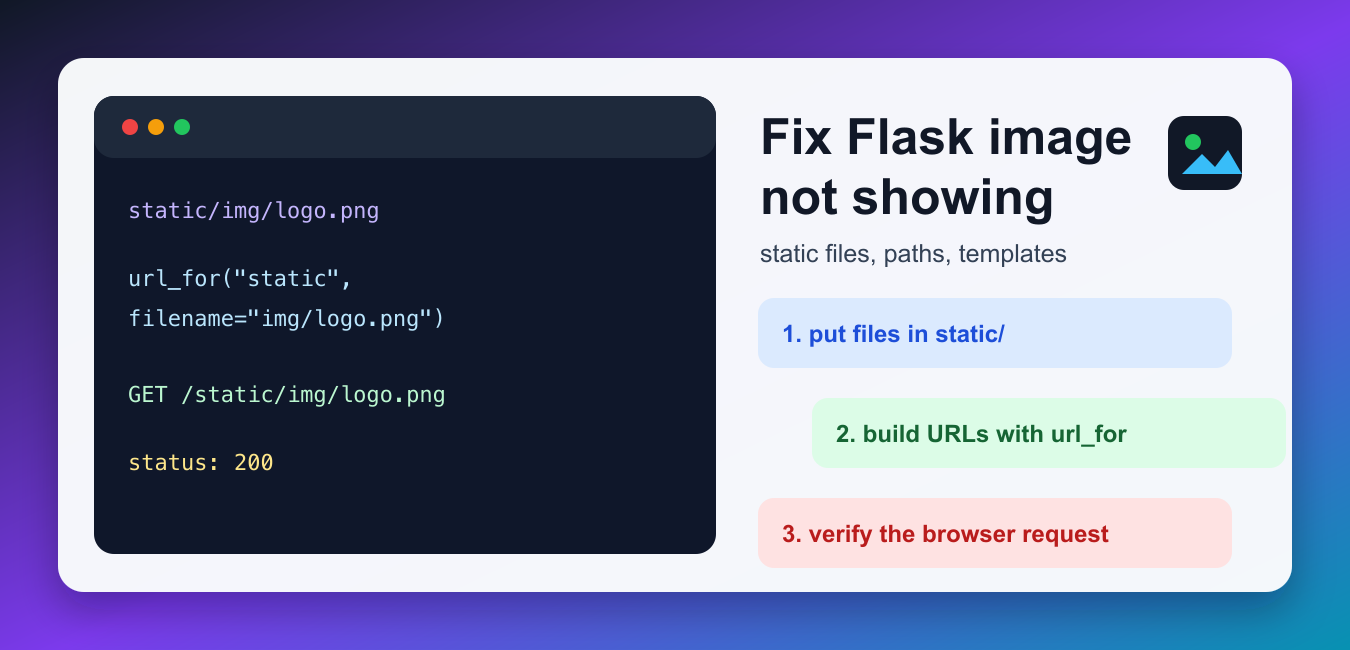
Place an image at static/images/logo.png and reference it in a Jinja template with {{ url_for('static', filename='images/logo.png') }}. A missing image is usually a wrong folder, wrong filename case, a missing static prefix, or a browser request returning 404.

A Flask image usually fails to show because the file is not in the app’s static folder, the template points to the wrong URL, the filename case does not match, or the browser is receiving a 404 for the image request. The quickest fix is to place the file under static/ and generate the image URL with url_for('static', filename='...').
Flask’s official static files documentation explains that files under the static folder are available through the /static route by default. The related URL building documentation shows why url_for() is safer than hard-coded paths.
Quick fix
Move the image into a path like static/img/logo.png, then reference it in the template with {{ url_for('static', filename='img/logo.png') }}. After that, open browser developer tools and confirm the image request returns 200, not 404 or 403.
1. Use Flask’s static folder
By default, Flask serves static files from a folder named static next to your application package or module. Keep templates in templates and images in static; do not place images inside the templates folder and expect the browser to request them directly.
from flask import Flask, render_template

app = Flask(__name__)


@app.get("/")
def home():
    return render_template("index.html", logo_file="img/logo.png")
The template can use the logo_file value, but the browser still needs a public URL. That URL should be generated by Flask instead of typed by hand.
2. Build image URLs with url_for()
Use url_for('static', filename='img/logo.png') in the template. It produces the correct static URL even if your app is mounted under a prefix or the static URL path changes later.
from flask import Flask, url_for

app = Flask(__name__)

with app.test_request_context():
    image_url = url_for("static", filename="img/logo.png")
    print(image_url)
If this prints /static/img/logo.png, your template should use that same generated URL. A common mistake is writing src="static/img/logo.png" without the leading slash. That relative URL can break on nested routes such as /users/42.
3. Confirm the file really exists
Many Flask image problems are simple path mismatches. Linux servers are case-sensitive, so Logo.png and logo.png are different files. Check the resolved path from the same project directory where the Flask app runs. Our guide to getting the current directory in Python can help when the app is launched from an unexpected folder.
from pathlib import Path

image_path = Path("static") / "img" / "logo.png"
print(image_path.resolve())
print("Exists:", image_path.exists())
print("Is file:", image_path.is_file())
If exists() returns False, fix the folder name, filename, or working directory before changing Flask code. Do not debug templates until the file path itself is correct.
4. Check custom static folders
Some projects rename the static folder to assets or serve static files under a different URL. That is fine, but the Flask app configuration and template URL must match. The Flask tutorial static files section uses the standard static folder because it is predictable for beginners and deployments.
from flask import Flask

app = Flask(
    __name__,
    static_folder="assets",
    static_url_path="/assets",
)

print(app.static_folder)
print(app.static_url_path)
With this configuration, an image at assets/img/logo.png is served from /assets/img/logo.png, not /static/img/logo.png. If your template still points to /static, the image will not show.
5. Verify the browser request
The browser’s Network tab tells you the real failure. A 404 means the URL does not map to a file. A 403 usually means a server or permissions rule blocked access. A 200 with the wrong content type can mean the URL is hitting a route that returns HTML instead of the image.
from app import app


def test_logo_is_served():
    client = app.test_client()
    response = client.get("/static/img/logo.png")

    assert response.status_code == 200
    assert response.content_type.startswith("image/")
This small test is useful before deployment because it catches missing image files and wrong static paths without opening a browser. If the test fails locally, it will usually fail on the server too.
6. Fix stale browser cache
If the path is correct and the response is 200, but the browser still shows an old or broken image, cache may be involved. Add a version query string based on the file timestamp while developing, or clear your browser and site cache after replacing the image.
from pathlib import Path
from flask import Flask, url_for

app = Flask(__name__)

with app.test_request_context():
    file_path = Path("static") / "img" / "logo.png"
    version = int(file_path.stat().st_mtime) if file_path.exists() else 0
    print(url_for("static", filename="img/logo.png", v=version))
For production, prefer a build pipeline or cache plugin strategy that changes asset URLs when files change. During debugging, the version query string is a quick way to prove whether cache is the problem.
Common Flask image mistakes
- Putting images in
templatesinstead ofstatic. - Hard-coding relative image URLs that break on nested routes.
- Using the wrong filename case on a Linux server.
- Changing
static_folderbut forgetting to update the URL path. - Seeing a cached broken image and assuming the Flask path is still wrong.
Final checklist
Confirm the file exists, generate the URL with url_for(), load the generated URL directly in the browser, and check the Network tab. If you recently changed Python versions or virtual environments while debugging Flask, verify the interpreter too; our Python version check guide covers that step. If you need to create a placeholder image file during testing, our Python touch file guide shows safe file creation patterns.
Use Flask’s Static Endpoint
Flask automatically serves files from the application’s static directory through the static endpoint. Keep the URL generation in the template instead of hard-coding a development host or relative path.
project/
  app.py
  static/
    images/
      logo.png
  templates/
    index.html
<img src="{{ url_for('static', filename='images/logo.png') }}" alt="Site logo">
Use the exact filename and extension. Linux deployments are case-sensitive, so Logo.png and logo.png are different paths.
Debug the Browser Request, Not Only the Template
Open the rendered image URL directly or inspect the browser Network panel. A 404 means the path or file location is wrong; a 200 response with a broken image suggests content type, file corruption, or markup issues.
from flask import Flask, url_for

app = Flask(__name__)

with app.test_request_context('/'):
    print(url_for('static', filename='images/logo.png'))
For user uploads, do not place arbitrary files into the application package as if they were static assets. Store uploads in a configured directory, validate the file, and serve them through a deliberate route or storage service.
For the authoritative API and current behavior, consult the Flask static-files documentation.
Frequently Asked Questions
Where should I put images in a Flask app?
Put application static images under the static directory, for example static/images/logo.png, and reference them through Flask’s static endpoint.
How do I write the image URL in a Flask template?
Use url_for(‘static’, filename=’images/logo.png’) inside the image src attribute rather than guessing a relative URL.
Why does Flask return 404 for an image?
Check the file location, exact filename and case, the static folder configuration, and the actual URL requested by the browser.
Should user uploads go in Flask’s static folder?
Not by default. Store and validate uploads separately, then serve them through a controlled route or object-storage service with appropriate access rules.