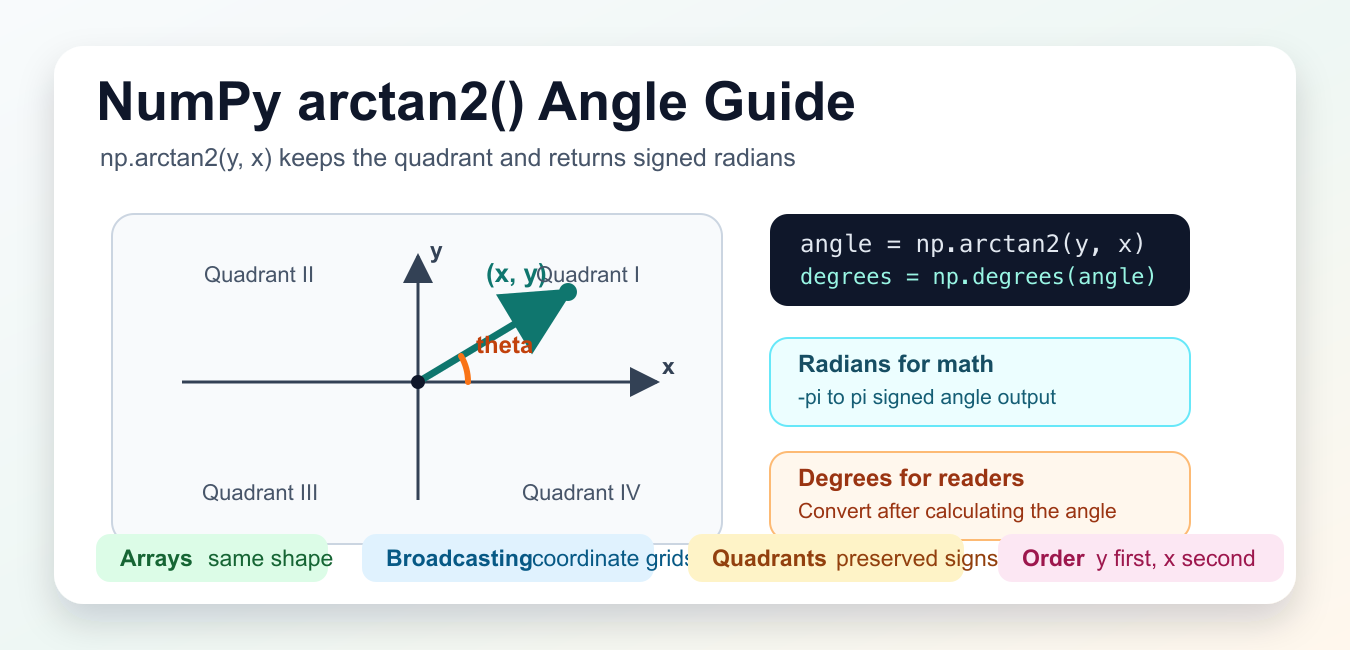
Quick answer: Use np.arctan2(y, x) to compute a signed angle while preserving the quadrant. It returns radians from -pi to pi, broadcasts compatible arrays, and has defined behavior for signed zeros and infinities; convert to degrees only at the presentation boundary.
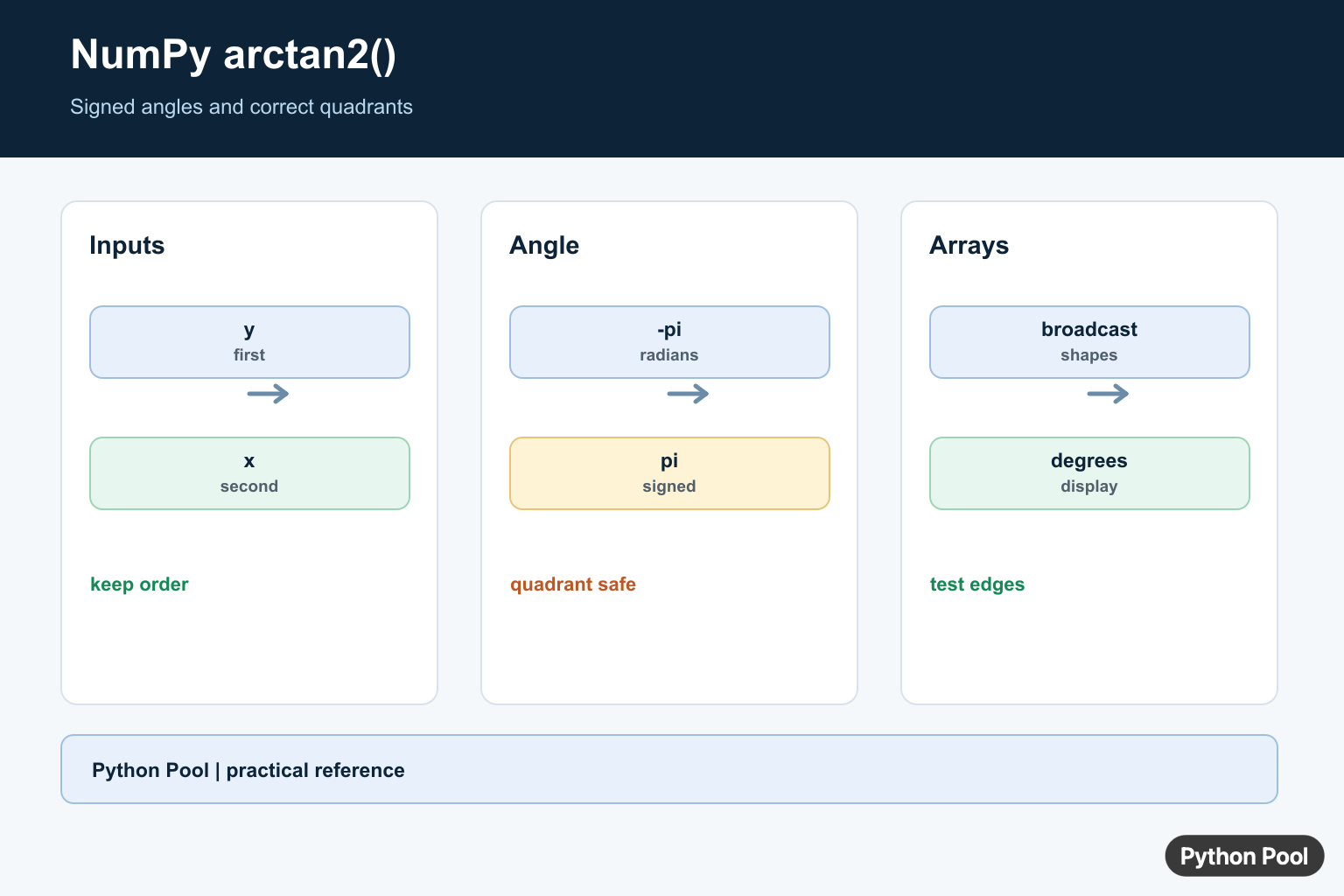
numpy.arctan2() returns the signed angle for a point or direction described by y and x coordinates. The call order is np.arctan2(y, x), so the vertical coordinate comes first and the horizontal coordinate comes second.
The function is different from taking np.arctan(y / x). A plain ratio loses sign information when both coordinates change together, and it needs extra handling when x is zero. arctan2() uses both arguments directly, so it can place the result in the correct quadrant and handle axis-aligned directions.
By default, NumPy returns radians in the interval from -pi through pi. Use np.degrees() when the result needs to be read as degrees, and use np.radians() when degree input must be converted back before another trigonometric calculation.
The official NumPy documentation covers numpy.arctan2(), numpy.degrees(), numpy.radians(), and broadcasting.
Use arctan2() whenever direction matters. It is common in vector math, complex-plane explanations, robot movement, image geometry, navigation-style bearings, and plots that label the angle of a point from the origin.
The output follows NumPy’s element-by-element behavior. Scalar inputs produce one angle. Arrays produce arrays of the same broadcasted shape. That makes it practical to calculate many directions at once without writing a Python loop.
Be careful with the argument order. Many people think in x, y coordinate pairs, but this function takes y, x. If the arguments are swapped, the result describes a different direction, and the mistake can look plausible in a small test.
Find One Angle From y And x
Pass the vertical coordinate first and the horizontal coordinate second. The raw answer is in radians, and a degree conversion is often easier to read in tutorial output.
try:
    import numpy as np
except ModuleNotFoundError:
    print("Install numpy to run this example.")
else:
    y = 1.0
    x = 1.0

    angle = np.arctan2(y, x)

    print(angle)
    print(np.degrees(angle))
The point (1, 1) sits halfway between the positive x-axis and the positive y-axis, so the degree result is 45. Radians are still the native unit for NumPy’s trigonometric functions.
This small example is also a good check for argument order. If y and x are equal, swapping them does not reveal the error, so test with less symmetric coordinates when debugging real code.
Check All Four Quadrants
arctan2() keeps the quadrant information from both signs. That is the main reason to prefer it over a tangent ratio.
try:
    import numpy as np
except ModuleNotFoundError:
    print("Install numpy to run this example.")
else:
    points = np.array([
        [1.0, 1.0],
        [1.0, -1.0],
        [-1.0, -1.0],
        [-1.0, 1.0],
    ])
    y = points[:, 0]
    x = points[:, 1]

    angles = np.degrees(np.arctan2(y, x))

    print(np.round(angles, 1))
The signed results move around the origin: positive angles appear above the x-axis, and negative angles appear below it. For display formats that need only positive degrees, normalize the result after the calculation rather than replacing arctan2().
Keeping the signed form is often useful in math code because it preserves whether a rotation is clockwise or counterclockwise from the positive x-axis.
Compare arctan And arctan2
A ratio can produce the same tangent value for different directions. arctan2() avoids that ambiguity by reading y and x separately.
try:
    import numpy as np
except ModuleNotFoundError:
    print("Install numpy to run this example.")
else:
    y = np.array([1.0, -1.0])
    x = np.array([1.0, -1.0])

    ratio_angles = np.degrees(np.arctan(y / x))
    full_angles = np.degrees(np.arctan2(y, x))

    print(np.round(ratio_angles, 1))
    print(np.round(full_angles, 1))
Both coordinate pairs have the same y / x ratio, but they point in opposite directions. arctan() cannot recover the lost quadrant detail from the ratio alone.
This is the practical difference that matters in geometry code. When direction is part of the result, keep the original coordinates and pass them to arctan2().
Convert Between Radians And Degrees
Use np.degrees() for readable output and np.radians() when a degree value needs to go back into a trigonometric function.
try:
    import numpy as np
except ModuleNotFoundError:
    print("Install numpy to run this example.")
else:
    angle = np.arctan2(3.0, 4.0)
    degrees = np.degrees(angle)
    restored = np.radians(degrees)

    print(round(degrees, 2))
    print(np.isclose(angle, restored))
Label the unit in arrays, columns, and chart data. A degree value and a radian value can both look reasonable, but they mean very different rotations.
For calculations, radians are usually the better internal unit. For printed summaries, user interfaces, and examples, degrees are often easier to scan.
Use arctan2 With Arrays
Arrays let you calculate many point angles at once. The y and x arrays should either have the same shape or be compatible through broadcasting.
try:
    import numpy as np
except ModuleNotFoundError:
    print("Install numpy to run this example.")
else:
    y = np.array([0.0, 1.0, 0.0, -1.0])
    x = np.array([1.0, 0.0, -1.0, 0.0])

    angles = np.degrees(np.arctan2(y, x))

    print(angles)
    print(angles.shape)
The output shape matches the input arrays. This makes the result easy to attach to the same rows of a table, plot, or coordinate list.
Axis-aligned points are handled without dividing by zero. The top point is 90 degrees, the left point is 180 degrees, and the bottom point is -90 degrees in signed form.
Broadcast y And x Grids
Broadcasting is useful when one axis supplies possible y coordinates and another axis supplies possible x coordinates. NumPy combines them into a grid of angle results.
try:
    import numpy as np
except ModuleNotFoundError:
    print("Install numpy to run this example.")
else:
    y = np.array([[-1.0], [0.0], [1.0]])
    x = np.array([[-1.0, 0.0, 1.0]])

    grid = np.degrees(np.arctan2(y, x))

    print(grid.shape)
    print(np.round(grid, 1))
Here the y array has one column and the x array has one row, so the result is a three-by-three grid. This pattern is useful for heat maps, vector fields, masks, and coordinate-system demos.
In short, call np.arctan2(y, x) when you need an angle from separate coordinates, keep radians for computation, convert to degrees for readable output, and rely on broadcasting when many coordinate combinations need the same calculation.
Respect The y, x Argument Order
The first argument is the y-coordinate and the second is the x-coordinate. Swapping them changes the angle, so name arrays by their geometric role rather than relying on generic a and b variables.
import numpy as np

points = np.array([[-1, -1], [1, -1], [1, 1], [-1, 1]])
x = points[:, 0]
y = points[:, 1]
angles = np.arctan2(y, x)
print(angles)
print(np.degrees(angles))
Understand Quadrants And Units
arctan2() distinguishes points with the same ratio but different signs, which ordinary arctan(y / x) cannot do reliably. Keep computations in radians for NumPy and convert once for labels or reports.
import numpy as np

angles = np.arctan2([1, 1, -1, -1], [1, -1, -1, 1])
for radians in angles:
    print(radians, np.degrees(radians))
Use Arrays And Broadcasting
The inputs can be scalars or array-like values. Shapes must be equal or broadcastable, and the result has the broadcasted shape. Use where or an initialized out array when a mask should preserve values outside the domain of interest.
import numpy as np

y = np.array([[1.0], [2.0]])
x = np.array([1.0, 2.0, 4.0])
angles = np.arctan2(y, x)
print(angles.shape)
print(angles)
Handle Zeros And Infinities
Boundary inputs are meaningful in geometry and numerical code. Signed zero can distinguish a positive or negative pi boundary when x is negative, and infinities follow defined floating-point conventions. Test these cases when angles drive control decisions.
import numpy as np

values = [
    np.arctan2(0.0, -0.0),
    np.arctan2(-0.0, -0.0),
    np.arctan2(np.inf, np.inf),
]
print(values)
print(np.degrees(values))
NumPy’s official arctan2() reference defines y and x, broadcasting, radians, and special values. Use tolerance comparisons when testing floating-point angle results.
For related angle calculations, compare NumPy angle(), NumPy sin(), and radian-to-degree conversion when angles move between geometry, arrays, and presentation.
Frequently Asked Questions
What does np.arctan2() do?
It computes the element-wise signed angle of y and x while choosing the correct quadrant.
Why is the argument order arctan2(y, x)?
The first argument represents the y-coordinate and the second represents the x-coordinate, matching the geometric angle convention.
Does np.arctan2() return degrees?
No. It returns radians in the range from -pi to pi; convert with np.degrees() or multiply by 180 / pi when degrees are needed.
How does arctan2 handle zero or infinity?
It follows defined floating-point and C-library conventions, so signed zeros and infinities can produce distinct boundary angles.