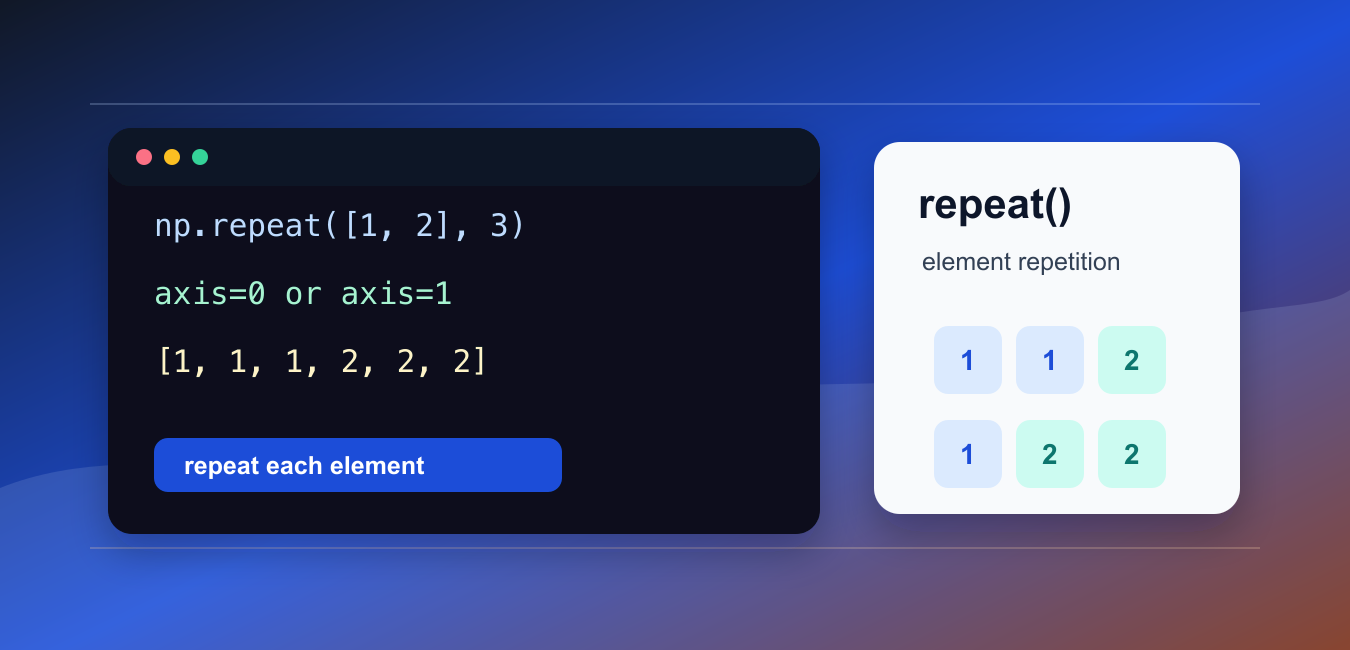
Quick answer: np.repeat duplicates array elements according to counts and can apply the operation along a selected axis. Check the output shape, ordering, dtype, and count broadcasting before passing repeated data to another operation.
numpy.repeat() repeats elements of an array. It can repeat a flattened array, repeat along rows, repeat along columns, or use different repeat counts for different positions.
The official NumPy documentation covers numpy.repeat(), numpy.tile(), and numpy.resize().
Use repeat() when each element should be duplicated before moving to the next element. This differs from repeating the whole array as a block.
The most important arguments are repeats and axis. Without an axis, NumPy flattens the input before repeating. With an axis, repetition happens along rows or columns.
This function is useful for expanding labels, upsampling simple arrays, building test data, and aligning values with repeated observations.
Before using it, decide whether the repeated unit is an element, a row, a column, or the whole array. That decision determines whether repeat(), tile(), or a reshape step is the clearest tool.
It also helps to write down the expected output shape. Repetition changes length, and silent shape surprises can move downstream bugs into plotting, modeling, or export code.
Repeat A Flat Array
With no axis, repeat() flattens the input and repeats each element.
import numpy as np

values = np.array([1, 2, 3])

result = np.repeat(values, 2)

print(result)
This prints [1 1 2 2 3 3].
Each input element appears twice before the next input element is processed.
Use this form for one-dimensional expansion or when flattening is acceptable.
If the original order matters, inspect a small example first. The output groups copies of each element together.
Repeat Rows
Use axis=0 to repeat rows in a two-dimensional array.
import numpy as np

data = np.array([
    [1, 2],
    [3, 4],
])

result = np.repeat(data, 2, axis=0)

print(result)
Each row is repeated before the next row.
This is useful when each record should be expanded into several identical rows.
Row repetition increases the first dimension of the array.
This pattern can represent repeated records, duplicated samples, or simple expansion before joining with another array.
Repeat Columns
Use axis=1 to repeat columns.
import numpy as np

data = np.array([
    [1, 2],
    [3, 4],
])

result = np.repeat(data, 2, axis=1)

print(result)
Each column is repeated before the next column.
This is useful for simple feature expansion, display preparation, or tests that need duplicated columns.
Column repetition increases the second dimension of the array.
Use this form when each feature or measurement column should be duplicated beside itself.
Use Different Repeat Counts
The repeats argument can be a list of counts.
import numpy as np

values = np.array([10, 20, 30])

result = np.repeat(values, [1, 2, 3])

print(result)
This repeats the first value once, the second value twice, and the third value three times.
Use this form when each element has its own expansion count.
The count list must match the length of the repeated axis.
Different counts are useful when each item represents a group size or frequency count.
Compare repeat And tile
repeat() repeats each element. tile() repeats the whole array pattern.
import numpy as np

values = np.array([1, 2, 3])

repeated = np.repeat(values, 2)
tiled = np.tile(values, 2)

print(repeated)
print(tiled)
The repeated result groups equal values together, while the tiled result repeats the full sequence.
Use repeat() for element-level duplication. Use tile() for block-level repetition.
Choosing the wrong one is a common source of shape and ordering bugs.
resize() is different again: it changes an array to a requested shape and may reuse data to fill the result. Use it only when that resizing behavior is actually intended. Repeating values changes array length by duplication, while NumPy pad() Array Padding Guide adds configurable edge regions without repeating the whole array.
For most expansion tasks, choose between repeat() and tile() first. That keeps the operation tied to element order rather than only final shape.
Repeat After Reshaping
Sometimes reshaping first makes the intended axis clear.
import numpy as np

values = np.array([1, 2, 3]).reshape(3, 1)

result = np.repeat(values, 2, axis=1)

print(result)
This turns a column into a two-column array by repeating across columns.
Reshape before repeating when the original array is one-dimensional but the result should be two-dimensional.
Checking shape before and after the call makes the transformation easier to review.
This is safer than relying on flattening when the intended output is a table-like array.
Common repeat Mistakes
The first common mistake is omitting axis when a two-dimensional result should keep rows and columns. Without an axis, the input is flattened.
The second mistake is using repeat() when tile() is needed. Remember: repeat duplicates elements, while tile duplicates patterns.
The third mistake is giving a repeat-count list that does not match the selected axis length.
Another issue is repeating much more data than expected. Large repeat counts can create large arrays quickly, so check the output shape before running the operation on production-sized data.
In short, use np.repeat(values, n) for element repetition, set axis for row or column repetition, and use np.tile() when the whole array pattern should repeat. repeat duplicates individual elements, while NumPy tile: Repeat Arrays in Python repeats an entire array pattern across dimensions.
Repeat Elements Or Slices
With axis=None, NumPy flattens the input before repeating values. With an axis, repetition happens along that dimension and the other dimensions remain in the result.
Match Counts
A scalar count can apply everywhere, while an array of counts must match the selected dimension according to the documented rules. Validate counts before relying on implicit alignment.
Compare repeat And tile
repeat duplicates elements or slices; tile repeats an entire pattern. The two can produce similar examples but encode different structural intent.
Check Shape Growth
Repeated data can grow quickly and consume memory. Compute the expected output size and limit counts when inputs are external or generated dynamically.
Preserve Dtype And Order
Confirm that values remain in the intended dtype and that element ordering matches the downstream algorithm. Repetition is not a sort or a shuffle.
Test Axes And Empty Inputs
Test scalar and vector counts, axis None, each supported axis, zero counts, empty dimensions, multidimensional arrays, dtype, and exact output shape.
Use the official NumPy repeat documentation. Related Python Pool references include NumPy arrays and tests.
For related array transformations, compare NumPy array shapes, shape tests, and sequence expansion before repeating elements.
Frequently Asked Questions
What does NumPy repeat do?
np.repeat repeats elements of an array according to a count and can operate on a selected axis.
How is repeat different from tile?
repeat duplicates individual elements or slices according to counts, while tile repeats a whole pattern; choose based on the intended structure.
What happens when axis is None?
The array is flattened before repetition, so the result is one-dimensional and may not preserve the original axis structure.
How do I check a repeat result?
Validate counts, axis, output shape, dtype, ordering, empty input, and the correspondence between each source element and its repeated values.