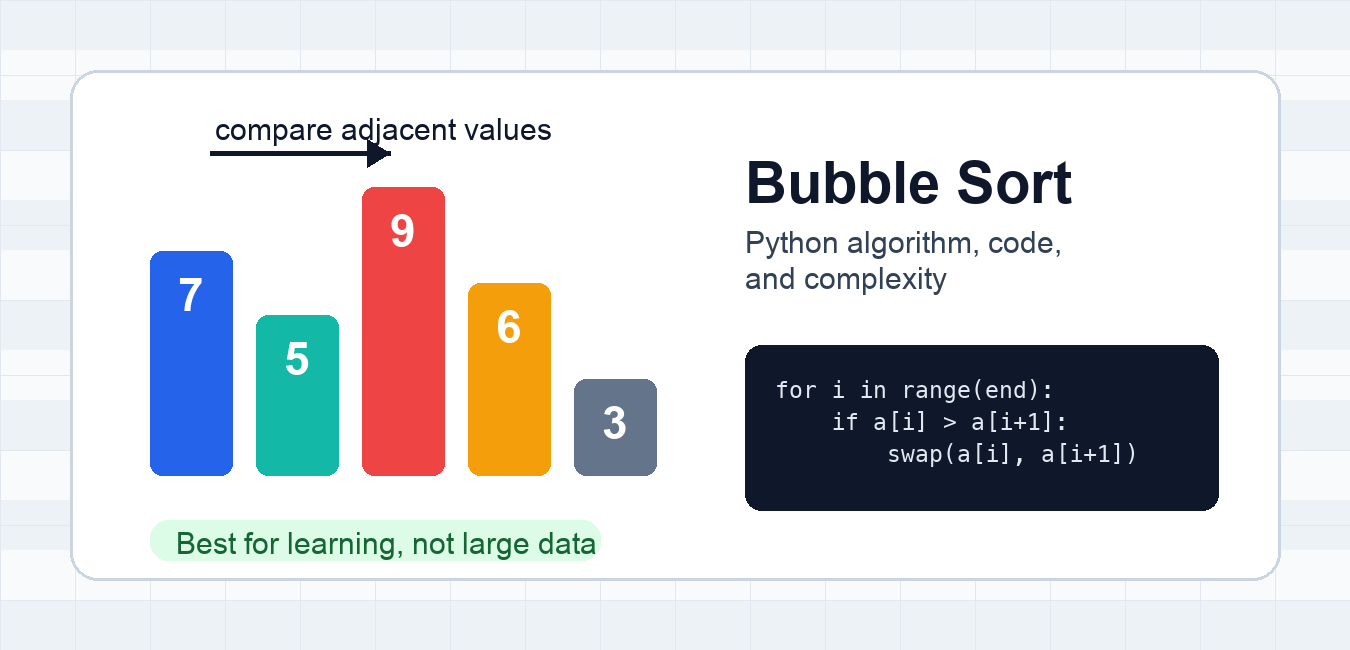
Quick answer: Bubble sort repeatedly compares adjacent values and swaps strictly out-of-order pairs. A swapped flag can stop after an already sorted pass, giving O(n) best-case behavior, but the algorithm remains O(n²) in typical and worst cases and sorted() is usually the production choice.
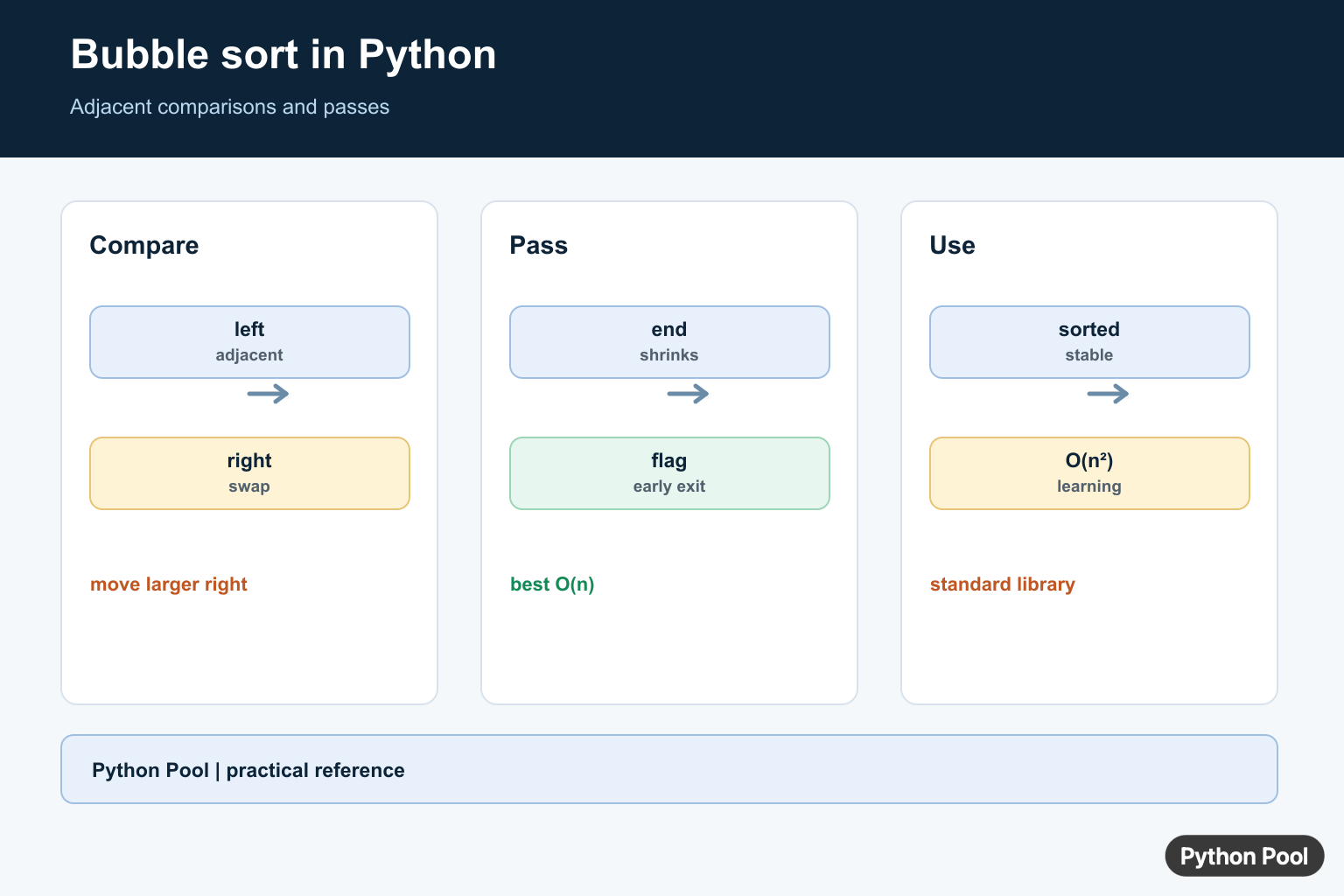
Bubble sort in Python is a small sorting algorithm that compares neighboring values and swaps them when they are in the wrong order. It is easy to read because every pass pushes the largest remaining value toward the end of the list, similar to a value bubbling into its final position.
You should learn bubble sort to understand comparisons, swaps, nested loops, and algorithmic complexity. For real application code, Python’s built-in sorting tools are faster and more reliable, so use list.sort() or sorted() unless you are studying algorithms or writing a teaching example.
How bubble sort works
Bubble sort repeatedly scans the list from left to right. During each scan, it compares two adjacent values. If the value on the left is greater than the value on the right, the algorithm swaps them. After the first full pass, the largest value is at the end. After the second pass, the second largest value is also in the correct area, so the inner loop can stop one step earlier.
Start: 7 5 9 6 3
Compare 7 and 5 -> swap: 5 7 9 6 3
Compare 7 and 9 -> keep: 5 7 9 6 3
Compare 9 and 6 -> swap: 5 7 6 9 3
Compare 9 and 3 -> swap: 5 7 6 3 9
At this point, 9 is already fixed at the end. The next pass only needs to work with the unsorted part: 5 7 6 3.
Bubble sort Python code
This implementation returns a new sorted list instead of changing the input list in place. That makes the function easier to test and safer to use in examples where the original values should remain available.
<div class="pythonpool-code-scroll" style="max-width:100%;overflow-x:auto;-webkit-overflow-scrolling:touch;">def bubble_sort(values):
    items = list(values)
    n = len(items)

    for end in range(n - 1, 0, -1):
        swapped = False

        for i in range(end):
            if items[i] > items[i + 1]:
                items[i], items[i + 1] = items[i + 1], items[i]
                swapped = True

        if not swapped:
            break

    return items


numbers = [7, 5, 9, 6, 3]
print(bubble_sort(numbers))</div>
[3, 5, 6, 7, 9]
The outer loop uses range() to move the right boundary of the unsorted portion. The inner loop compares each pair up to that boundary. The swapped flag is an early-exit optimization: if one full pass makes no swaps, the list is already sorted and the function can stop.
In-place bubble sort
If you want the function to mutate the same list object, remove the copy and sort the list directly. This mirrors how list.sort() behaves, though the built-in method is still the better choice for production sorting.
<div class="pythonpool-code-scroll" style="max-width:100%;overflow-x:auto;-webkit-overflow-scrolling:touch;">def bubble_sort_in_place(items):
    for end in range(len(items) - 1, 0, -1):
        swapped = False
        for i in range(end):
            if items[i] > items[i + 1]:
                items[i], items[i + 1] = items[i + 1], items[i]
                swapped = True
        if not swapped:
            return


scores = [88, 75, 92, 75]
bubble_sort_in_place(scores)
print(scores)</div>
Bubble sort complexity
Bubble sort has O(n²) average and worst-case time complexity because nested loops compare many pairs as the input grows. With the early-exit check, the best case is O(n) when the list is already sorted. The space complexity is O(1) for the in-place version because swaps reuse the existing list storage.
Bubble sort is stable when it swaps only on >, not on >=. Equal values keep their original relative order. Stability is useful when records have the same sort key, such as two students with the same score.
When should you use bubble sort?
Use bubble sort when you are learning how sorting algorithms work, demonstrating loop boundaries, or debugging a tiny educational example. Do not use it for large lists, data pipelines, web requests, or performance-sensitive code. Python’s built-in sort is based on Timsort and is designed for real workloads; see our Timsort guide and list sorting examples for practical alternatives.
Common mistakes
- Looping too far and reading
items[i + 1]past the end of the list. - Forgetting to shrink the inner loop after each pass.
- Using
>=and accidentally making the algorithm unstable for equal values. - Expecting bubble sort to compete with
sorted()on large inputs. - Changing the input list when the caller expects a new sorted copy.
How to test a bubble sort function
Small sorting functions are easy to get almost right, so test more than one input shape. A good bubble sort test should include an unsorted list, an already sorted list, an empty list, and repeated values. Repeated values matter because they reveal whether the function keeps equal items in a predictable order.
<div class="pythonpool-code-scroll" style="max-width:100%;overflow-x:auto;-webkit-overflow-scrolling:touch;">assert bubble_sort([7, 5, 9, 6, 3]) == [3, 5, 6, 7, 9]
assert bubble_sort([1, 2, 3]) == [1, 2, 3]
assert bubble_sort([]) == []
assert bubble_sort([4, 4, 1]) == [1, 4, 4]</div>
Also test the original input if your function promises to return a new list. If callers pass a tuple or another iterable, converting with list(values) makes the implementation flexible while keeping the result as a normal Python list.
Ascending and descending order
The examples above sort in ascending order because they swap when the left value is greater than the right value. For descending order, reverse the comparison and swap when the left value is smaller. Keep the rest of the loop boundaries the same. In normal Python code, however, prefer sorted(values, reverse=True) for descending results because it is shorter, faster, and easier for other developers to recognize.
Related Python guides
- Insertion sort in Python
- Counting sort in Python
- Python itemgetter for sorting records
- itertools.groupby for grouped sorted data
- heapq for priority queues and partial sorting
Official references
Implement The Basic Passes
At the end of each pass, the largest remaining value has bubbled to the right boundary. The inner range can therefore shrink after every pass. Use a temporary value or tuple unpacking to exchange adjacent elements without losing either value.
def bubble_sort(values):
    items = list(values)
    for end in range(len(items) - 1, 0, -1):
        for index in range(end):
            if items[index] > items[index + 1]:
                items[index], items[index + 1] = items[index + 1], items[index]
    return items

print(bubble_sort([5, 1, 4, 2, 8]))
Stop When A Pass Makes No Swaps
If one complete pass does not swap any pair, the list is already sorted and later passes cannot change it. This optimization makes the best case linear, but it does not improve the quadratic behavior of a reverse-sorted or otherwise difficult input.
def bubble_sort_early_exit(values):
    items = list(values)
    for end in range(len(items) - 1, 0, -1):
        swapped = False
        for index in range(end):
            if items[index] > items[index + 1]:
                items[index], items[index + 1] = items[index + 1], items[index]
                swapped = True
        if not swapped:
            break
    return items

print(bubble_sort_early_exit([1, 2, 3, 4]))
Preserve Stability And Input Policy
Swapping only when the left value is greater than the right value keeps equal values in their original order, which makes the usual implementation stable. The function above returns a new list; mutate the input only if that behavior is deliberately part of the API.
records = [("first", 2), ("second", 2), ("low", 1)]
print(bubble_sort(records))
Compare With Python’s Sort
Use sorted(iterable) when you need a new sorted list and list.sort() when in-place mutation is appropriate. Python’s built-in sorting is stable and highly optimized. Bubble sort is valuable for teaching adjacent swaps, pass invariants, and complexity, not as a default replacement for the standard library.
values = [5, 1, 4, 2, 8]
print(sorted(values))
values.sort()
print(values)
Python’s official Sorting Techniques guide covers stable sorting, key functions, and the production sorting tools.
For related sorting algorithms, compare counting sort, pigeonhole sort, and heapq selection before choosing an implementation for the input range.
Frequently Asked Questions
What is bubble sort in Python?
Bubble sort repeatedly compares adjacent values and swaps them when they are out of order until a pass makes no swaps.
What is the time complexity of bubble sort?
Bubble sort is O(n²) in average and worst cases; an early-exit check gives O(n) best-case behavior for an already sorted list.
Is bubble sort stable?
The usual adjacent-swap implementation is stable when it swaps only strictly out-of-order pairs, so equal values keep their relative order.
Should I use bubble sort in production Python?
Usually no. Use sorted() or list.sort() for general-purpose code; bubble sort is mainly useful for learning or a narrowly constrained small input.