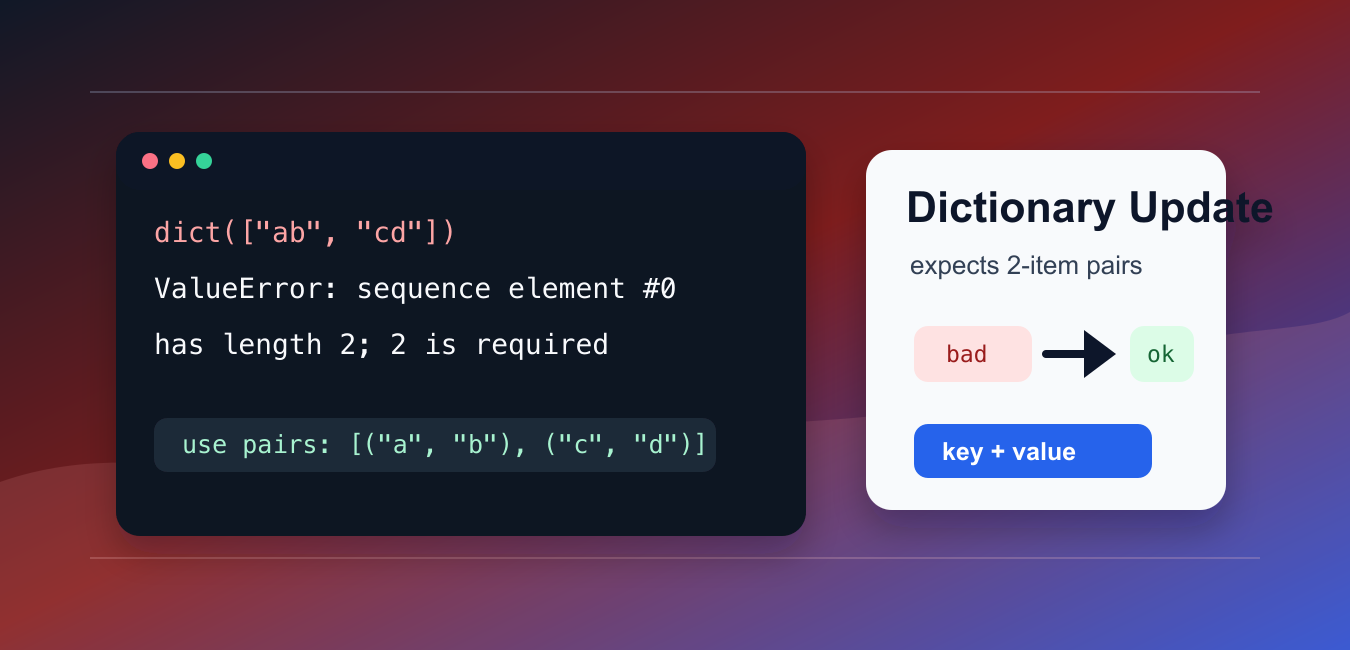
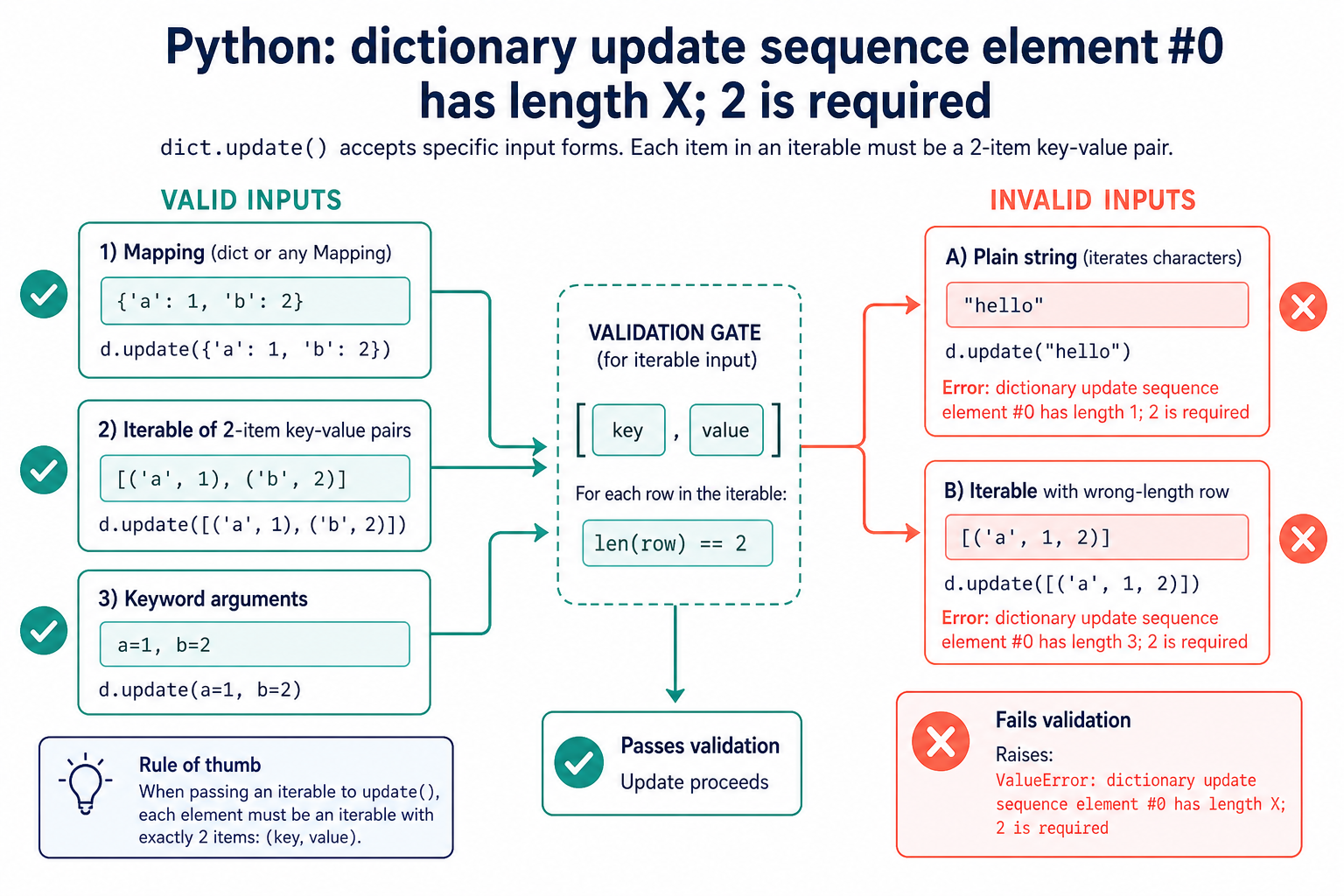
The error ValueError: dictionary update sequence element #0 has length X; 2 is required appears when dict() or dict.update() receives an iterable whose items are not exactly two-item key-value pairs. A dictionary update needs a mapping or a sequence shaped like (key, value) for every row.
Quick answer
Inspect the first item in the input. If it is a plain string, a one-item tuple, or a row with three values, reshape the data before calling dict() or update(). Valid inputs are another mapping, an iterable of exact two-item pairs, or keyword arguments for identifier-like string keys.
Python’s dictionary documentation states that update() accepts a mapping or an iterable of key/value pairs and overwrites existing keys. The dictionary tutorial shows the common construction forms. The error refers to element #0 because the first row often reveals the malformed shape.
Reproduce the error
Passing a list of strings does not tell Python which part is a key and which part is a value. Each string is iterable, but its characters are not a two-item dictionary pair.
bad_items = ["name", "Ada"]

try:
    result = dict(bad_items)
except ValueError as error:
    print(type(error).__name__)
    print(error)
The same problem occurs with data.update("hello"). A string is not a mapping of meaningful key-value pairs. Wrap the intended key and value together instead of passing the raw text.
Pass exact two-item pairs
Use a list or tuple for each key-value pair. The outer iterable may contain any number of rows, but every inner row must have length two.
items = [
    ("name", "Ada"),
    ("role", "admin"),
]

result = dict(items)
print(result)
print(result["name"])
This shape is convenient when data comes from a transformation, a CSV parser, or a query result. Tuples communicate that each row has a fixed pair structure, although two-item lists also work.
Update from a mapping
If the incoming value is already a dictionary or mapping, pass it directly. Existing keys are overwritten by the incoming values.
profile = {"name": "Ada"}
extra = {"role": "admin", "active": True}

profile.update(extra)
print(profile)
This is usually the clearest form for merging configuration, defaults, or parsed records. If the source is a custom mapping, ensure it exposes the mapping protocol expected by Python.
Use keyword arguments when appropriate
Keyword arguments are concise for fixed keys that are valid Python identifiers. They are not suitable for keys containing spaces, hyphens, or dynamic values that are not known in source code.
profile = dict(name="Linus", role="maintainer")
profile.update(active=True)

print(profile)
Use a dictionary literal or pair list when keys are dynamic. This avoids trying to convert arbitrary user input into Python keyword syntax.
Validate rows before conversion
When rows come from an external file, form, or API, validate their shape before building the dictionary. This produces a useful error close to the bad input.
rows = [
    ("name", "Ada"),
    ("role", "admin"),
]

for row in rows:
    if len(row) != 2:
        raise ValueError("Expected a key-value pair")

result = dict(rows)
print(result)
For untrusted data, also validate key and value types according to the application’s contract. The built-in conversion only checks the shape required for a mapping; it cannot decide whether a particular key is semantically valid.
Understand wrong-length rows
A row with three items is just as invalid as a row with one item. The error tells you the length Python saw and reminds you that two items are required.
rows = [
    ("name", "Ada", "extra"),
]

try:
    result = dict(rows)
except ValueError as error:
    print(error)
Decide what the extra value means. You may need to select two columns, create a nested value, or convert each record with a dictionary comprehension. Do not discard fields silently if they carry important data.
Convert records deliberately
For a list of dictionaries, choose the key and value explicitly. This is safer than asking dict() to guess how a record should be flattened.
users = [
    {"id": 1, "name": "Ada"},
    {"id": 2, "name": "Grace"},
]

lookup = {user["id"]: user["name"] for user in users}
print(lookup)
The comprehension states that user IDs become dictionary keys and names become values. If duplicate IDs are possible, validate them before construction or decide which record should win.
Debug the first element
When the input is long, inspect its type, first row, and row length before attempting the conversion.
def describe_rows(rows):
    rows = list(rows)
    if not rows:
        return "empty input"
    first = rows[0]
    return type(first).__name__, len(first) if hasattr(first, "__len__") else None

print(describe_rows([("name", "Ada")]))
Materializing an iterator can use memory, so use this diagnostic only for a bounded input or replace it with a streaming validation strategy for large data. The core question remains the same: does every incoming item contain exactly a key and a value?
Common fixes that cause new bugs
- Passing a plain string because it happens to be iterable.
- Dropping the third column without confirming it is unused.
- Using keyword arguments for keys that are not valid identifiers.
- Allowing duplicate keys without documenting which value wins.
- Catching the ValueError and continuing with a partial dictionary.
The practical rule is to normalize the input shape before conversion. A mapping is ready, an iterable of exact two-item pairs is ready, and keyword arguments are ready for fixed identifier-like keys. Everything else needs an explicit transformation or a clear validation error.
Keep duplicate-key behavior intentional
When several pairs contain the same key, the later value replaces the earlier one. That behavior is useful for overlays and configuration merges, but it can also hide duplicated input. Count or reject duplicate keys when every record is expected to be unique.
Likewise, do not use a dictionary as a substitute for a table with repeated keys. If the source contains multiple values for one key, use a list or another grouped structure so the conversion does not silently discard earlier rows.
Handle empty input
An empty iterable converts to an empty dictionary without an update-shape error. Decide whether that is valid for the application. If a required configuration section is empty, validate it at the boundary and return a domain-specific message rather than letting a later lookup fail.
For mapping updates, compare adding dictionary keys with ordered dictionary behavior. Read add keys to dictionary python and python ordereddict for the related workflow.
Frequently Asked Questions
Frequently Asked Questions
What causes the dictionary update sequence error?
dict() or update() received an item that is not an exact two-item key-value pair, such as a plain string or a row with the wrong length.
How do I fix dictionary update sequence element 0?
Inspect the first input item and reshape the data into a mapping or a list of 2-item pairs before calling dict() or update().
Can dict.update() accept a list?
Yes. It can accept an iterable of exact 2-item pairs, such as [(‘name’, ‘Ada’)], or another mapping.
Why does a string fail when passed to dict.update()?
A string is iterable over characters, but its characters do not form meaningful 2-item key-value pairs.