Quick answer: A singular matrix has dependent rows or columns and cannot support a unique ordinary inverse. Diagnose rank, singular values, and conditioning; use solve for a well-posed square system, least squares for an approximate or overdetermined system, and regularization only when it matches the model.
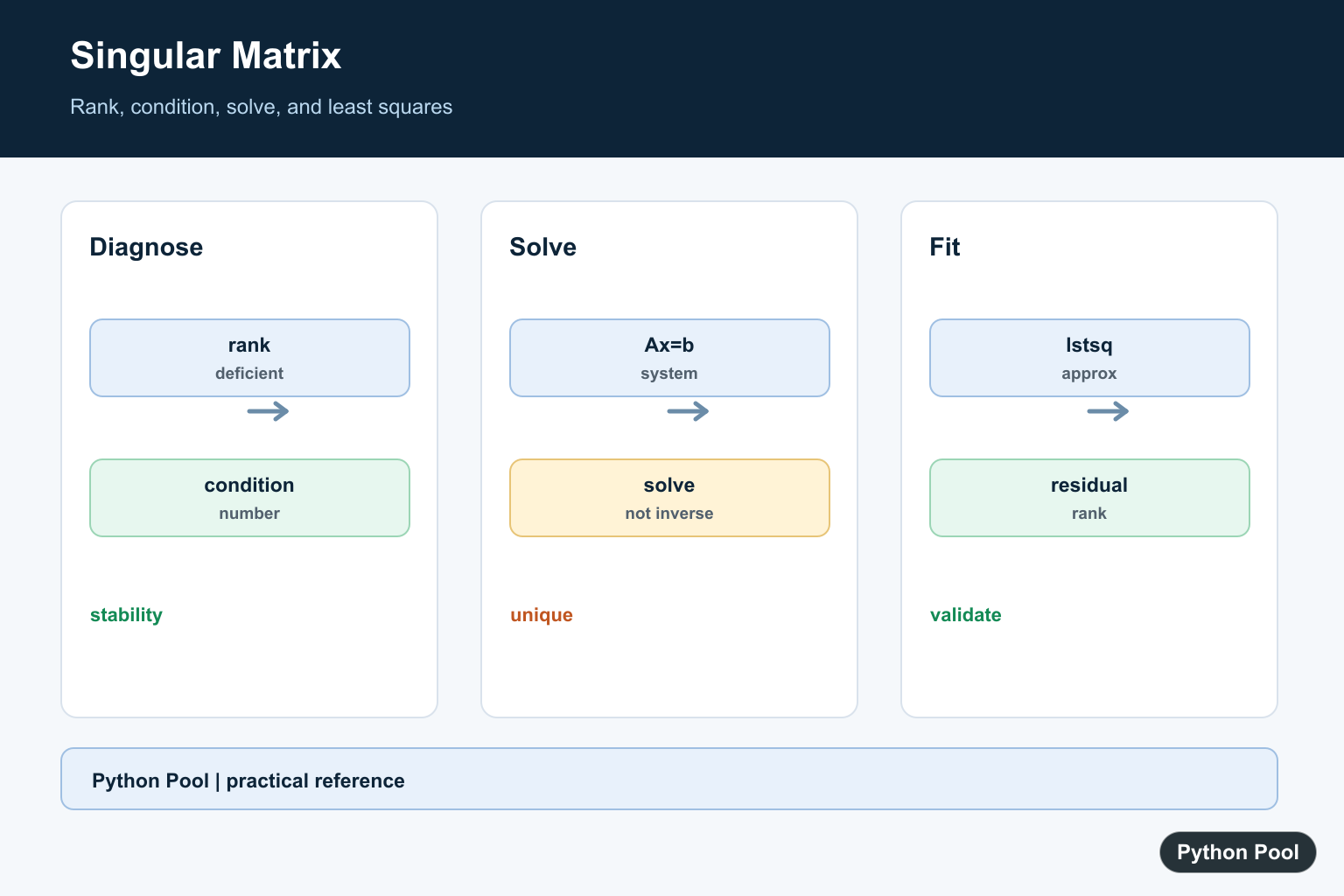
numpy.linalg.LinAlgError: Singular matrix means a linear algebra operation cannot continue because the matrix is singular or rank deficient. In practice, the rows or columns contain duplicate, dependent, or insufficient information, so NumPy cannot compute a normal inverse or an exact full-rank solution.
What a singular matrix means
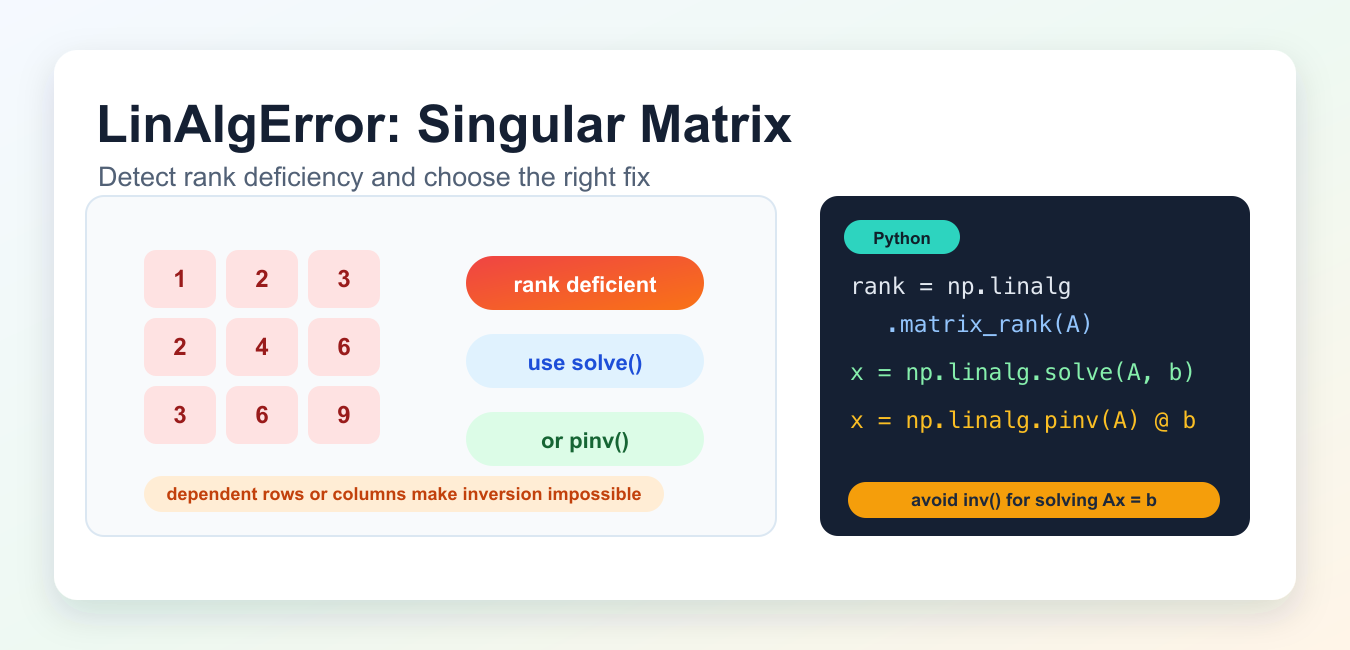
A square matrix is singular when it does not have an inverse. A common example is a matrix where one row is a multiple of another row:
import numpy as np

A = np.array([
    [1, 2, 3],
    [2, 4, 6],
    [3, 6, 9],
])
The second and third rows are dependent on the first row, so the matrix does not contain three independent directions. Operations such as np.linalg.inv(A) or np.linalg.solve(A, b) can raise LinAlgError.
Check matrix rank first
Use np.linalg.matrix_rank() to check whether a matrix has enough independent rows or columns. For an n x n square matrix, full rank means rank n.
rank = np.linalg.matrix_rank(A)
print(rank)
print(A.shape)
If rank is smaller than the number of columns or rows needed for the operation, the matrix is rank deficient. That is a stronger diagnostic than simply checking whether the determinant is close to zero, especially with floating-point data.
Prefer solve() over inv() for Ax = b
If your real goal is to solve a linear system Ax = b, use np.linalg.solve(A, b) instead of calculating np.linalg.inv(A) @ b. NumPy documents solve() for full-rank square systems, and it raises LinAlgError when the coefficient matrix is singular or not square. A zero or near-zero determinant is a key sign of singularity; NumPy Determinant with linalg.det() shows how to compute it and interpret numerical limits.
b = np.array([1, 2, 3])

try:
    x = np.linalg.solve(A, b)
except np.linalg.LinAlgError:
    print("A is singular or not full rank")
Using solve() keeps the intent clear and avoids building an explicit inverse when you only need the solution vector.
Use pinv() or lstsq() when an exact inverse is not possible
If the matrix is singular but you still need a best-effort solution, use the pseudo-inverse with np.linalg.pinv() or a least-squares method such as np.linalg.lstsq(). These are different mathematical choices, so use them only when an approximate or least-squares solution makes sense for the problem.
x = np.linalg.pinv(A) @ b
The pseudo-inverse is common in data science, regression, and feature matrices where columns may be correlated. It is not the same as fixing the original data problem; it gives a stable alternative when the model allows it.
Check the condition number
A matrix can be technically invertible but still numerically unstable. Use np.linalg.cond() to estimate sensitivity. A very large condition number means small input changes can produce large output changes.
condition = np.linalg.cond(A)
print(condition)
If the condition number is very large, review the data before trusting the result. Scaling features, removing duplicate columns, or collecting more independent observations may be better than forcing a numerical answer.
Common causes in machine learning and pandas
- Duplicate or perfectly correlated feature columns.
- One-hot encoded categories without dropping a reference column.
- More features than independent observations.
- Constant columns that add no information.
- Using
inv()directly whensolve(),lstsq(), or a model-specific regularization method is more appropriate.
For data preparation issues around arrays and DataFrames, see NumPy array to pandas DataFrame, ValueError setting an array element with a sequence, and NumPy ndarray object is not callable.
Practical fix checklist
- Confirm the matrix is square if you are using
solve()orinv(). - Check
np.linalg.matrix_rank(A). - Remove duplicate, dependent, or constant rows/columns.
- Use
np.linalg.solve(A, b)for full-rank square systems. - Use
np.linalg.pinv(A) @ bornp.linalg.lstsq()only when an approximate solution is acceptable. - Check
np.linalg.cond(A)for near-singular matrices.
Related NumPy guides
Official references
- NumPy documentation for LinAlgError
- NumPy documentation for solve()
- NumPy documentation for matrix_rank()
- NumPy documentation for cond()
- NumPy documentation for pinv()
Avoid Explicit Inversion
For Ax=b, solve is generally more stable and efficient than computing inv(A) and multiplying. A singular matrix should be diagnosed rather than hidden with a blind inverse call.
import numpy as np

matrix = np.array([[2., 1.], [1., 3.]])
right_side = np.array([1., 2.])
solution = np.linalg.solve(matrix, right_side)
print(solution)
Check Rank And Condition
Rank reveals linear dependence, while the condition number indicates sensitivity to small input changes. A full-rank matrix can still be numerically unstable if it is ill-conditioned.
import numpy as np

matrix = np.array([[1., 2.], [2., 4.]])
print(np.linalg.matrix_rank(matrix))
print(np.linalg.cond(matrix))
Use Least Squares When Appropriate
lstsq is suitable when there are more observations than unknowns or when the intended model is an approximate fit. Inspect residuals and rank along with the coefficients.
import numpy as np

matrix = np.array([[1., 1.], [1., 2.], [1., 3.]])
values = np.array([2., 3., 5.])
solution, residuals, rank, singular_values = np.linalg.lstsq(matrix, values, rcond=None)
print(solution, rank, singular_values)
Scale And Validate Inputs
Different units or magnitudes can worsen conditioning. Scale features where appropriate, reject NaN and infinite values, and test the result against the original equation.
import numpy as np

matrix = np.array([[2., 0.], [0., 4.]])
values = np.array([6., 8.])
solution = np.linalg.solve(matrix, values)
np.testing.assert_allclose(matrix @ solution, values)
print(solution)
A numerical error message is evidence about the model and data, not only a missing try statement. Check whether duplicated observations, an omitted feature, an extreme scale, or an incorrect axis created the dependence. Report rank and residuals with the result so downstream users know whether the solution is exact or approximate. NumPy’s solve(), lstsq(), and cond() references define the relevant numerical tools. Related references include statistical checks, numerical change, and axis semantics.
For related numerical diagnostics, compare statistical checks, numerical change, and axis semantics when validating a matrix model.
Frequently Asked Questions
What causes a singular matrix error?
The matrix has dependent rows or columns, zero determinant, or insufficient information for a unique solution.
Should I calculate the inverse directly?
Usually no. Use solve for a square nonsingular system and avoid forming an explicit inverse when solving equations.
When should I use least squares?
Use least squares when the system is overdetermined or an approximate solution is the intended model.
How do I diagnose an ill-conditioned matrix?
Inspect rank, singular values, and condition number, then scale inputs and assess whether the result is numerically trustworthy.