Quick Answer
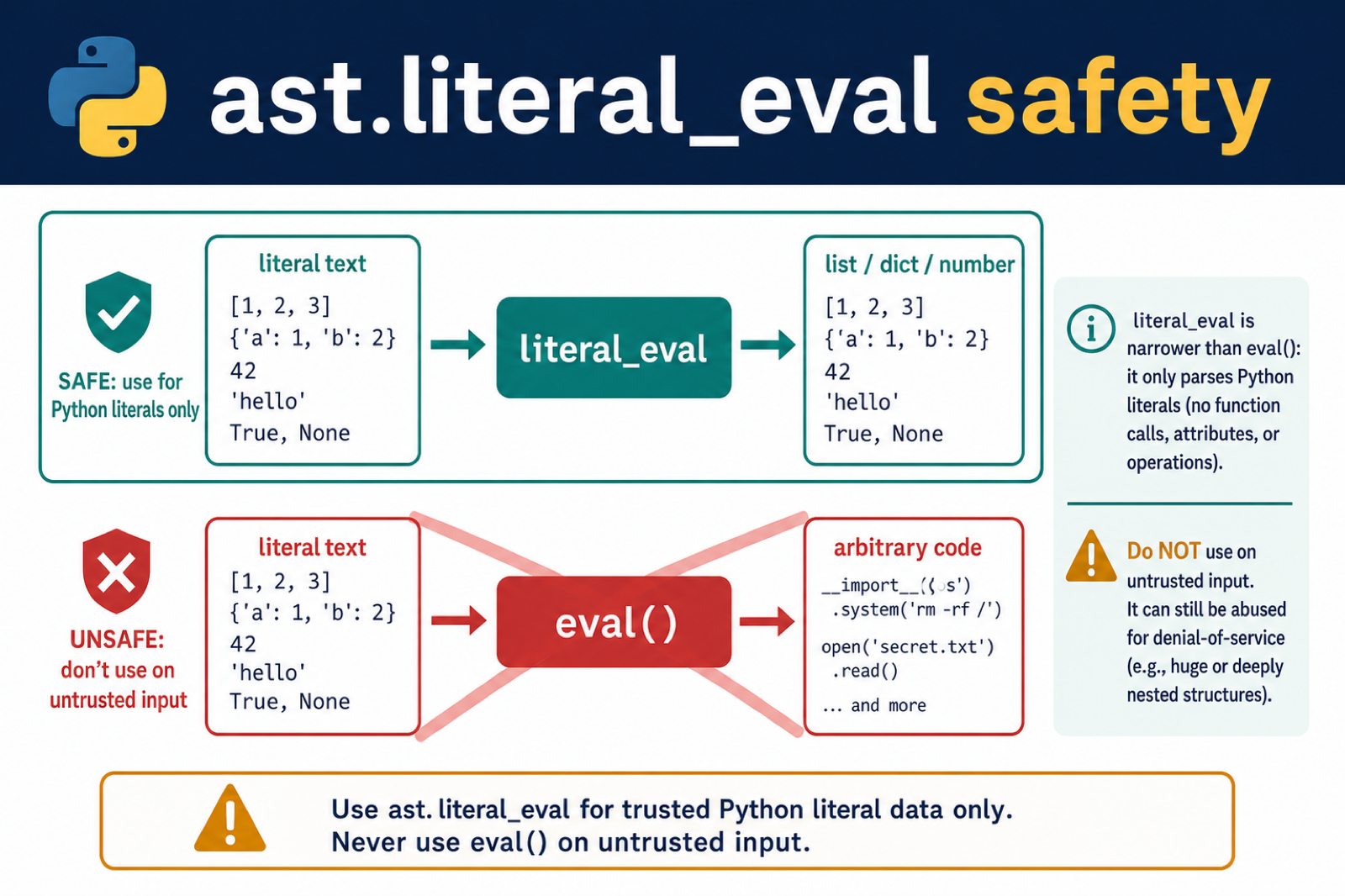
Use ast.literal_eval(text) to parse trusted text containing Python literals such as lists, dictionaries, strings, numbers, booleans, and None. It does not execute function calls or arbitrary expressions like eval(), but do not treat it as a general untrusted-input parser because deeply nested or oversized input can exhaust resources.
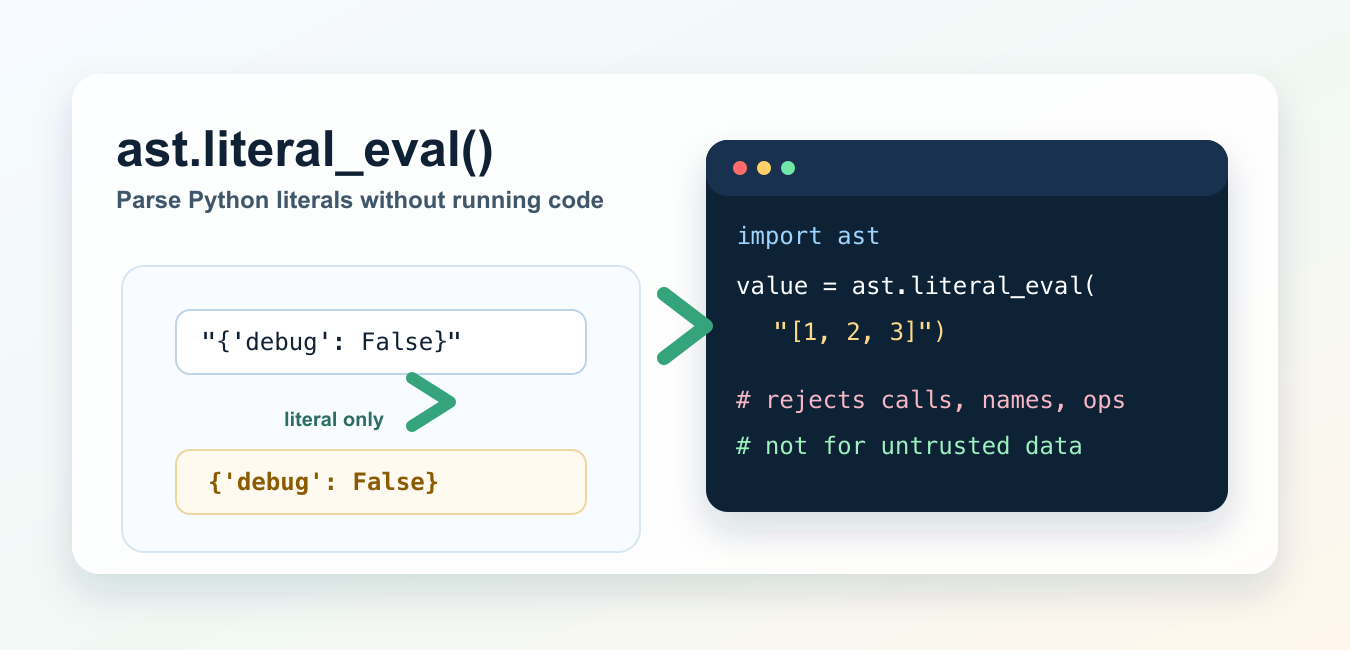
ast.literal_eval() converts a string containing a Python literal into the matching Python object. It is useful when you have text such as "['red', 'green']" or "{'debug': False}" and need a real list or dictionary.
It is different from eval(). literal_eval() does not perform name lookups, function calls, indexing, imports, or arbitrary expression evaluation. It only accepts Python literal structures. That makes it a better choice than eval() for parsing trusted literal text, but it is still not recommended for untrusted data because malformed or deeply nested input can exhaust memory, C stack, or CPU.
Basic ast.literal_eval() example
Import ast and pass a string that contains a Python literal.
import ast

items = ast.literal_eval("['red', 'green', 'blue']")
settings = ast.literal_eval("{'retries': 3, 'debug': False}")

print(items)
print(settings)
On the local Python 3.14 check for this update, the first value became a list and the second became a dict. This is the main reason to use literal_eval(): it turns literal text into normal Python objects without writing a custom parser.
Supported literal types
The official Python docs allow strings, bytes, numbers, tuples, lists, dictionaries, sets, booleans, None, and Ellipsis. Empty sets are supported with set().
import ast

print(ast.literal_eval("(1, 2, 3)"))
print(ast.literal_eval("{1, 2, 3}"))
print(ast.literal_eval("set()"))
print(ast.literal_eval("None"))
Use it when the input is already Python literal syntax. If the input is JSON, use json.loads() instead. JSON uses true, false, and null, while Python literals use True, False, and None.
Rejected expressions
literal_eval() rejects expressions that are not literals. Operators, function calls, and variable names are not allowed.
import ast

for text in ["[1, 2, 3]", "1 + 2", "open('x')", "name"]:
    try:
        print(text, "=>", ast.literal_eval(text))
    except (ValueError, SyntaxError) as exc:
        print(text, "=>", type(exc).__name__)
In the local check, "[1, 2, 3]" parsed successfully, while "1 + 2", "open('x')", and "name" raised ValueError. If you need normal expression evaluation, understand the risks first; Python’s eval() can execute arbitrary code and is unsafe for untrusted input.
Handle malformed input
Wrap parsing in a small helper when user-facing code may receive malformed text. The docs list several possible exceptions for malformed or problematic input, including ValueError, TypeError, SyntaxError, MemoryError, and RecursionError.
import ast


def parse_literal(text):
    try:
        return ast.literal_eval(text)
    except (ValueError, SyntaxError) as exc:
        raise ValueError(f"Invalid Python literal: {text!r}") from exc


print(parse_literal("[1, 2, 3]"))
This kind of wrapper gives your application a clearer error message. If the text comes from a terminal prompt, combine it with validation patterns from Python user input.
literal_eval() vs eval()
eval() parses and evaluates a Python expression with access to namespaces. Python’s own documentation warns that calling eval() with untrusted user input leads to security vulnerabilities.
| Feature | ast.literal_eval() |
eval() |
|---|---|---|
| Function calls | No | Yes |
| Name lookups | No | Yes |
Operators such as 1 + 2 |
No | Yes |
| Python literals | Yes | Yes |
| Use with untrusted input | Still not recommended | No |
For most parsing tasks, prefer a real data format instead of dynamic Python evaluation. If you are migrating older scripts that used eval(), also review Python locals() and Python input() vs raw_input() because they often appear in the same legacy code.
literal_eval() vs json.loads()
Use json.loads() for JSON and ast.literal_eval() for Python literal strings.
import ast
import json

json_settings = json.loads('{"retries": 3, "debug": false}')
python_settings = ast.literal_eval("{'retries': 3, 'debug': False}")

print(json_settings == python_settings)
The local check printed True, but the two input formats are not the same. JSON requires double-quoted object keys and lowercase false. Python literal syntax allows single quotes and uses False. If data is coming from an API, configuration service, or JavaScript application, json.loads() is usually the correct parser. literal_eval accepts a safe subset of syntax; Python AST Module Examples and Uses exposes the full parsed tree for inspection and transformation.
When to use ast.literal_eval()
Use it for trusted, bounded strings that are supposed to contain Python literal data. Good examples include a trusted local configuration value, a saved representation from another Python script, or an admin-only migration where the input size is controlled.
Do not use it as a general security sandbox. Do not pass arbitrary public form input, uploaded files, or unbounded external data to literal_eval(). If you are working with saved Python objects rather than literal strings, the cPickle and pickle guide explains a different serialization path, with its own safety warnings.
Common mistakes
The most common error is passing JSON to literal_eval(). Another common error is expecting math or variables to work. ast.literal_eval("1 + 2") is rejected because it is an operation, not a literal.
Also check spelling. The function name is ast.literal_eval(); check spelling carefully when importing or calling it. If your script branches on parsed values, the guides to Python ternary expressions and Python inline if may help keep the surrounding code readable.
Official references
The examples here follow the Python documentation for ast.literal_eval(), the ast module, eval(), and json.loads().
Conclusion
ast.literal_eval() is the right tool when you need to parse trusted Python literal strings into real Python objects. It is safer than eval() because it does not run calls or name lookups, but it is not a parser for untrusted or unlimited data. Use json.loads() for JSON and keep literal_eval() for controlled Python literal input.
Know Which Values literal_eval Accepts
ast.literal_eval() accepts literal structures and container displays, including strings, bytes, numbers, tuples, lists, dictionaries, sets, booleans, None, and Ellipsis. It does not evaluate names, function calls, attribute access, indexing, or operators.
import ast

value = ast.literal_eval("{'tags': ['python', 'seo'], 'count': 2}")
print(value['tags'])

# This raises a malformed-node error rather than calling a function.
try:
    ast.literal_eval("len([1, 2])")
except (ValueError, SyntaxError):
    print("not a literal")
Use json.loads() when the data is JSON, because JSON gives you a format contract that can be validated at an application boundary.
literal_eval Is Narrower Than eval, Not a DoS Shield
Unlike eval(), literal_eval() does not provide a namespace or execute arbitrary Python code. The parser can still be abused with deliberately large or deeply nested input that consumes CPU, memory, or C stack space. Treat input limits, authentication, and timeouts as separate security controls.
import ast

text = "[1, 2, 3]"
if len(text) > 10_000:
    raise ValueError("literal is too large")
value = ast.literal_eval(text)
For data from users or networks, prefer a constrained format such as JSON and validate the resulting structure before using it.
Frequently Asked Questions
What does ast.literal_eval do in Python?
It converts a string or AST node containing a supported Python literal into the corresponding Python value without evaluating arbitrary names or function calls.
Which types can ast.literal_eval parse?
It supports Python literal structures such as strings, bytes, numbers, tuples, lists, dictionaries, sets, booleans, None, and Ellipsis.
Is ast.literal_eval safer than eval()?
It is much narrower because it does not execute arbitrary expressions, but it is not a complete security boundary for untrusted input because resource exhaustion is still possible.
Should I use ast.literal_eval for JSON?
Use json.loads() for JSON. It communicates the input format more clearly and lets you apply JSON-specific validation and limits.