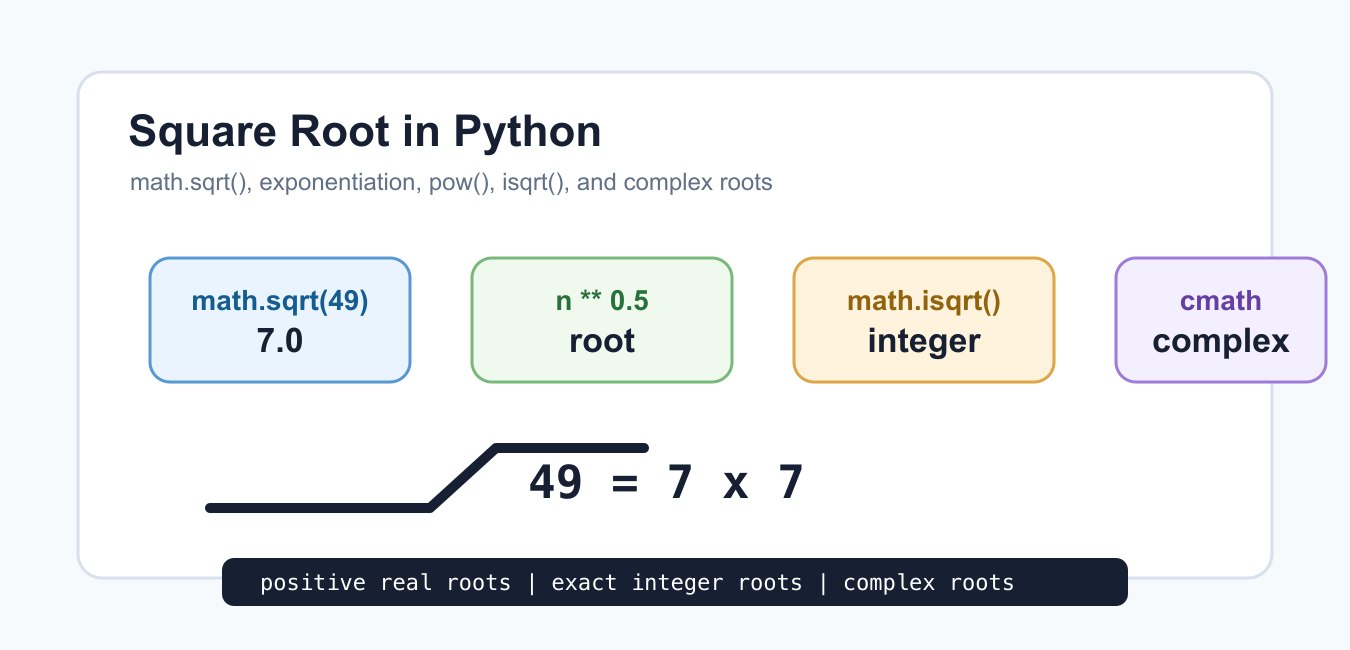
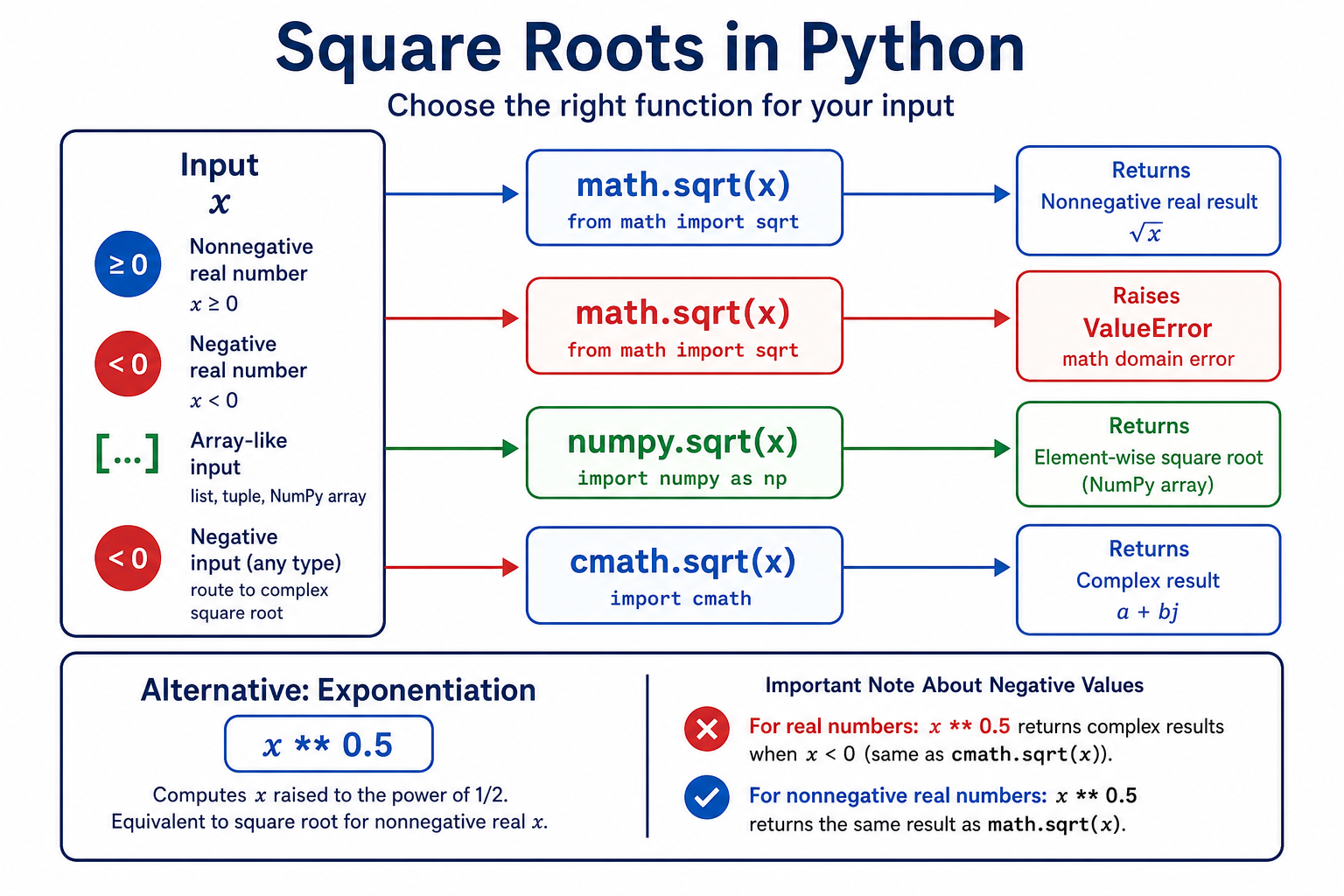
There are several correct ways to calculate a square root in Python, and the best one depends on the input. Use math.sqrt() for a scalar nonnegative real number, numpy.sqrt() for arrays, cmath.sqrt() when complex results are valid, and exponentiation when a compact mathematical expression is useful. Choosing the function from the domain prevents confusing negative-input errors.
Quick answer
Call math.sqrt(25) for a real scalar. It raises ValueError for a negative real number. Use np.sqrt(array) for element-wise array roots, and use cmath.sqrt(-1) when the result should be 1j. The expression x ** 0.5 is concise, but it does not replace domain validation or array-aware behavior.
The official math.sqrt documentation defines the real scalar operation. For array code, NumPy sqrt provides a vectorized ufunc, while cmath.sqrt handles complex values.
Use math.sqrt() for real scalars
math.sqrt() is clear and efficient for a single real value. It returns a floating-point result even when the input is an integer. Use it when a negative value is invalid for the calculation and should be rejected.
import math

values = [0, 1, 2, 9, 25]
roots = [math.sqrt(value) for value in values]

print(roots)
print(math.sqrt(25))
The function accepts numbers that can be interpreted as real values. If the application receives strings from a form or CSV, convert and validate them before calling math.sqrt(). A conversion error and a negative-domain error are different problems and should produce different messages.
Handle negative inputs explicitly
The real square root of a negative number is not defined. math.sqrt() raises ValueError rather than silently returning a complex value. Catch the error only when the application can make a meaningful decision, such as skipping invalid measurements or switching to a complex calculation.
import math

def real_square_root(value):
    if value < 0:
        raise ValueError("real square root needs a nonnegative value")
    return math.sqrt(value)

print(real_square_root(49))
Do not replace a negative number with its absolute value unless that transformation is part of the domain model. Absolute value changes the input and can turn a data-quality problem into a result that looks plausible but means something else.
Use NumPy for arrays
numpy.sqrt() applies the operation element by element and returns an array. It is appropriate for numerical workflows where the input is already an array and later operations will also be vectorized. NumPy reports invalid real roots according to its floating-point error behavior, so decide how warnings should be handled.
import numpy as np

values = np.array([0.0, 1.0, 4.0, 9.0])
roots = np.sqrt(values)

print(roots)
print(np.allclose(roots ** 2, values))
For arrays that may contain negative values, use a mask or choose a complex dtype intentionally. The right behavior depends on whether a negative value is invalid data, a signed quantity that needs another transform, or a legitimate input in a complex model.
Use cmath for complex square roots
cmath.sqrt() returns a complex number for negative inputs. This is useful when the mathematical model includes complex values, such as roots of a polynomial or a signal-processing calculation. Keep the complex domain visible in the function name and tests.
import cmath

values = [4, 0, -1, -16]
roots = [cmath.sqrt(value) for value in values]

for value, root in zip(values, roots):
    print(value, root)
A complex result has real and imaginary parts even when the imaginary part is zero. Downstream code may need root.real or root.imag, but do not discard the imaginary component until the domain guarantees it is zero or irrelevant.
Use exponentiation for a compact formula
The expression x ** 0.5 is a readable mathematical shorthand for a nonnegative scalar. It is convenient inside formulas, but function calls make intent and domain behavior more explicit in production code. For negative inputs, the result depends on the type and expression context, so do not rely on it as an implicit complex conversion.
def square_root_expression(value):
    if value < 0:
        raise ValueError("value must be nonnegative")
    return value ** 0.5

print(square_root_expression(36.0))
For a NumPy array, exponentiation is vectorized, but np.sqrt() communicates the operation more clearly and follows NumPy's ufunc conventions. Use the function that makes the expected input and output easiest for a future reader to see.
Compare floating-point roots safely
Squaring a floating-point root can introduce a small rounding difference. Compare with a tolerance when testing numerical code. For arrays, use np.allclose(); for scalars, use math.isclose() with tolerances appropriate to the scale of the data.
import math

value = 2.0
root = math.sqrt(value)
reconstructed = root * root

print(math.isclose(reconstructed, value, rel_tol=1e-12, abs_tol=1e-12))
Test zero, one, perfect squares, non-perfect squares, and the negative boundary. If the input can be very large or very small, add scale-specific cases because overflow, underflow, and relative error can change the result.
Choose a function by data shape
Use math.sqrt() when a function receives one scalar and a negative value is invalid. Use np.sqrt() when the function receives an array or needs broadcasting. Use cmath.sqrt() when complex output is part of the contract. Use exponentiation for short formulas after the domain has already been established.
import cmath
import math
import numpy as np

scalar_root = math.sqrt(16)
array_roots = np.sqrt(np.array([1, 4, 9]))
complex_root = cmath.sqrt(-16)

print(scalar_root)
print(array_roots)
print(complex_root)
Keeping these paths separate makes error handling easier. A function that sometimes returns a float, sometimes an array, and sometimes a complex number is difficult to use unless that union is deliberate and documented.
Common mistakes
- Calling
math.sqrt()on a NumPy array. - Expecting a real square root for a negative number.
- Using
abs(value)to hide invalid input. - Comparing roots or squared roots with exact floating-point equality.
- Discarding a complex component without checking the model.
Square root code is reliable when its domain is explicit. Validate scalar inputs, choose a vectorized or complex function when needed, and test with tolerances. The arithmetic is short; the important engineering decision is whether invalid values should be rejected, masked, or represented in the complex plane.
For array and magnitude variants, compare NumPy square roots with Python absolute values. Read numpy square root and python absolute value for the related workflow.
Frequently Asked Questions
Frequently Asked Questions
How do I calculate a square root in Python?
Use math.sqrt(value) for a nonnegative scalar, np.sqrt(array) for arrays, or value ** 0.5 for a compact validated expression.
How do I calculate the square root of a negative number?
Use cmath.sqrt() or another explicit complex operation when a complex result is valid; math.sqrt() raises ValueError for a negative real.
What is the NumPy square root function?
np.sqrt() is a vectorized ufunc that calculates element-wise square roots for arrays and supports broadcasting.
Is x ** 0.5 the same as math.sqrt(x)?
For validated nonnegative scalar values they represent the same mathematical operation, but math.sqrt() makes the real-domain contract clearer.