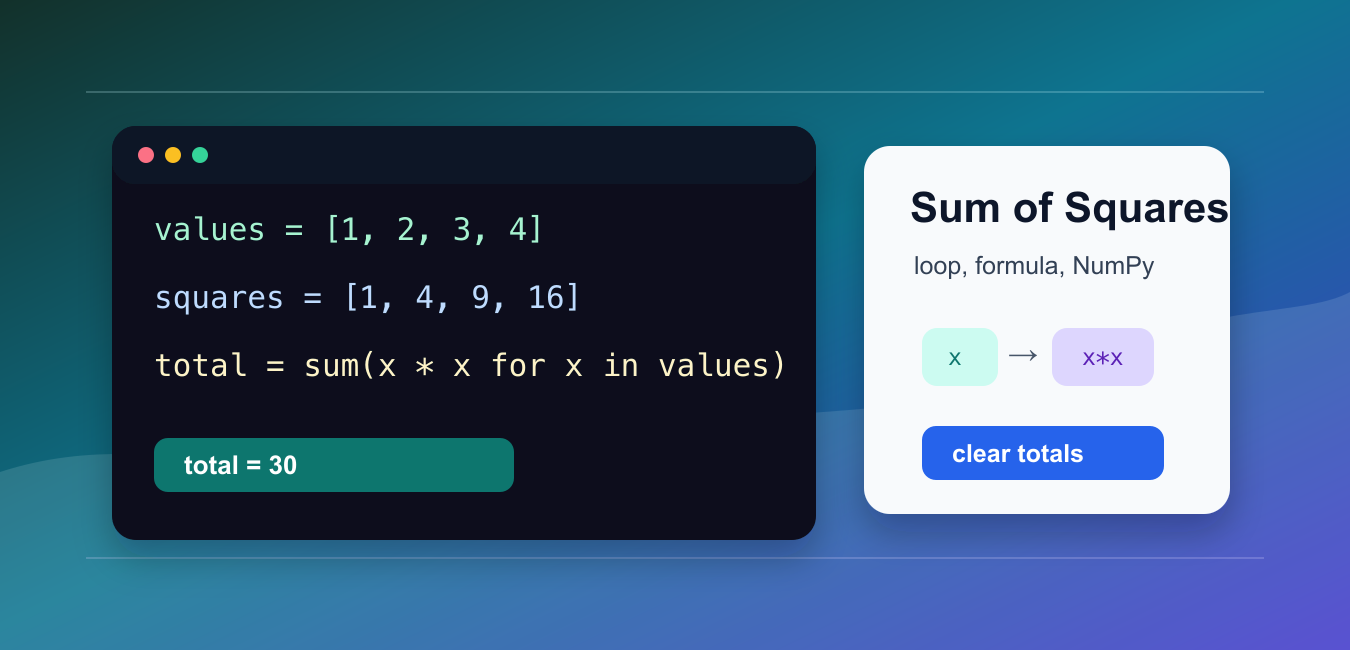
Quick answer: A sum of squares adds x*x for every value. For an iterable, sum(x * x for x in values) is clear and avoids an intermediate list; use a range formula for a known consecutive sequence, NumPy for arrays, and remember that sum of squares is not the square of the sum.
A sum of squares adds the square of each number in a sequence. For the values 1, 2, 3, 4, the result is 1*1 + 2*2 + 3*3 + 4*4, which equals 30.
The main references are Python’s sum() documentation, the math.fsum() documentation, and NumPy’s sum documentation.
This calculation appears in basic arithmetic, vector lengths, least-squares methods, error measurements, and simple data analysis. The best Python approach depends on whether the data is a small list, a numeric range, or a NumPy array.
For ordinary Python lists, the most direct pattern is sum(x * x for x in values). It avoids an intermediate list and reads as a close translation of the math.
Be clear about the input before choosing an implementation. A sum of squares for a short list should favor readability. A sum of squares over millions of numeric items may need NumPy. A sum of squares for the exact sequence 1 through n can use the formula instead of looping.
Also separate this calculation from the square of a sum. sum(x * x for x in values) squares each item first. sum(values) ** 2 adds the items first and then squares the total. Those are different operations and usually give different answers.
Use A Generator With sum()
Use a generator expression when the numbers are already in an iterable.
values = [1, 2, 3, 4]

total = sum(x * x for x in values)

print(total)
The expression x * x squares each item. The outer sum() adds those squared items into one total.
This is usually the clearest solution for lists, tuples, ranges, and other normal iterables. It also keeps memory use low because Python does not need to build a second list of squares.
A list comprehension such as sum([x * x for x in values]) also works, but it creates a temporary list. The generator form is a better default unless you specifically need the list of squared values later.
Write A Reusable Function
Wrap the calculation in a function when several parts of a program need the same operation.
def sum_of_squares(numbers):
    return sum(number * number for number in numbers)

print(sum_of_squares([2, 5, 8]))
print(sum_of_squares(range(1, 5)))
A helper function gives the calculation a name and keeps call sites readable. It also makes the behavior easy to test with empty input, negative numbers, and decimal values.
An empty iterable returns 0, matching the behavior of sum([]). Negative numbers are squared into positive contributions, so -3 contributes 9.
Use A Formula For 1 Through n
When the input is exactly the integers from 1 through n, use the closed-form formula.
def sum_of_first_n_squares(n):
    return n * (n + 1) * (2 * n + 1) // 6

print(sum_of_first_n_squares(5))
print(sum(i * i for i in range(1, 6)))
The formula returns the same result as looping over range(1, n + 1), but it runs in constant time.
Use this formula only for consecutive positive integers starting at one. If the input is a custom list such as [2, 5, 8], use the generator approach instead.
Python integers can grow as large as memory allows, so the formula is safe for large n from an integer-overflow perspective. The more important issue is meaning: the formula answers one specific math question, not every sum-of-squares problem.
Keep Floating-Point Totals Accurate
For decimal values, math.fsum() can produce a more accurate floating-point total than plain sum().
import math

values = [0.1, 0.2, 0.3, 0.4]

total = math.fsum(x * x for x in values)

print(total)
Floating-point arithmetic stores approximations. For short scripts the difference may not matter, but math.fsum() is a better default when precision is important.
For exact decimal money-style arithmetic, use decimal.Decimal and square those values directly. The sum-of-squares pattern stays the same.
Use NumPy For Arrays
NumPy is a good fit when data is already in an array or when the calculation is part of a vectorized numeric workflow.
import numpy as np

values = np.array([1, 2, 3, 4])

total = np.sum(values * values)

print(total)
The expression values * values squares the array element by element. np.sum() then reduces the array to one total.
For a one-dimensional array, this is compact and fast. For a two-dimensional array, pass an axis to get row-wise or column-wise sums of squares.
With integer NumPy arrays, the result uses the array dtype rules. If very large values are possible, choose a dtype deliberately or convert to floating point before squaring. That prevents surprising wraparound in fixed-width integer arrays.
Calculate Residual Sum Of Squares
In regression and curve fitting, residual sum of squares adds the squared differences between observed and predicted values.
observed = [3.0, 5.0, 7.0, 9.0]
predicted = [2.8, 5.1, 6.9, 9.2]

rss = sum((actual - estimate) ** 2 for actual, estimate in zip(observed, predicted))

print(rss)
This is the same core calculation with a subtraction step before squaring. The closer predictions are to observed values, the smaller the residual sum of squares becomes.
Use zip() only when the two input sequences are meant to line up by position. If lengths differ, validate that before calculating so data loss does not go unnoticed.
The practical rule is simple: use sum(x * x for x in values) for regular Python data, use the formula for 1 through n, use math.fsum() for sensitive decimal totals, and use NumPy when the data is already an array.
When documenting results, include the input range and units. A residual sum of squares for prices, distances, or model errors is only meaningful when readers know what each value represents and how the values were paired.
Use A Generator
A generator expression keeps the ordinary Python version concise and streams terms into sum. It is a good default for a list, range, or other iterable that does not need vectorized operations.
Use The Range Formula
For the consecutive integers from 1 through n, the closed form n(n+1)(2n+1)/6 avoids looping. Validate the bounds and use integer arithmetic when the result must be exact.
Choose Floating-Point Summation
math.fsum can reduce error when the squared terms are floating-point values. It does not replace a domain-specific numerical method, so define the precision required by the measurement.
Use NumPy For Arrays
When values already live in an ndarray, np.sum(values * values) is expressive and vectorized. Consider dtype, overflow, NaN policy, and axis when the array is large or multidimensional.
Distinguish The Two Formulas
sum(x*x for x in values) differs from sum(values) ** 2. Write the intended formula in a test because confusing them can produce a plausible but materially different statistic.
Python’s sum documentation, math.fsum, and NumPy sum cover the main choices. Related references include variance, axes, and numeric tests.
For related numeric summaries, compare variance, numeric output, and numeric tests when selecting exactness and dtype.
Frequently Asked Questions
How do I calculate a sum of squares in Python?
Use sum(x * x for x in values) for an ordinary iterable, or the documented formula for a known consecutive range.
Is sum of squares the same as square of sum?
No. Sum of squares adds each x squared, while square of sum adds values first and then squares the total.
When should I use NumPy?
Use NumPy when the data is already an array or the calculation belongs in a vectorized numeric workflow.
How do I reduce floating-point error?
Use math.fsum for an iterable of floating-point terms when improved summation accuracy matters.