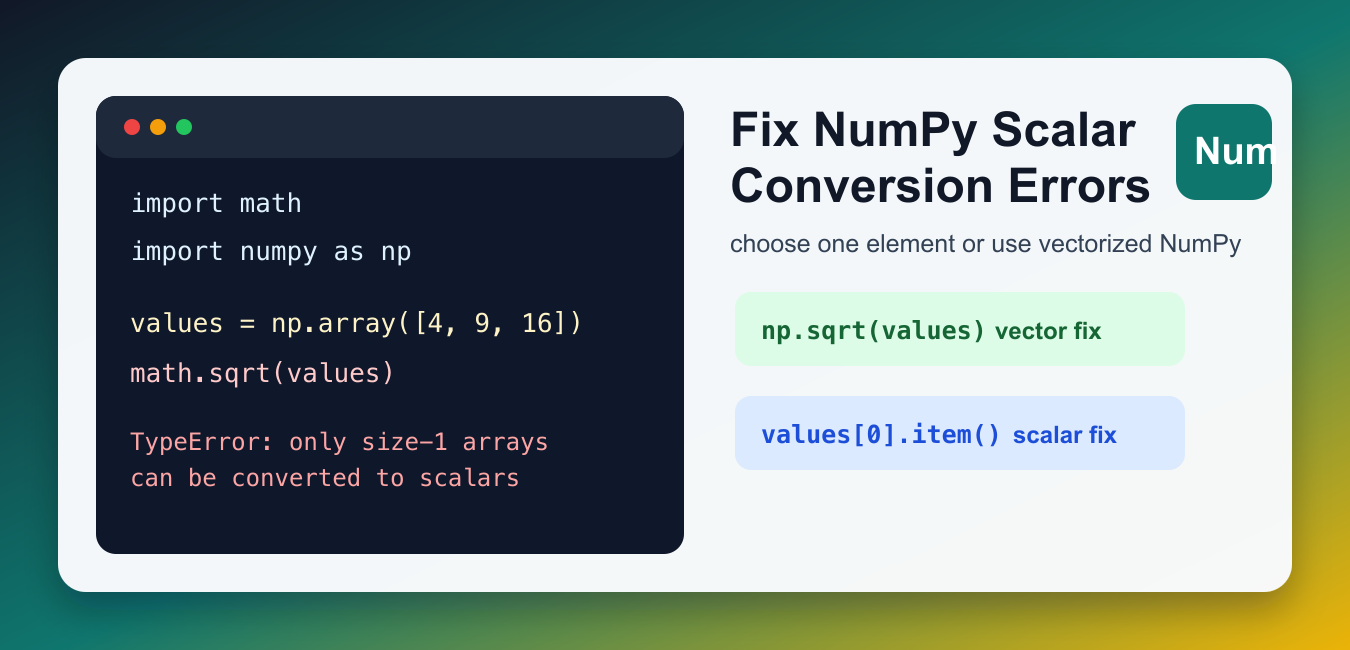
Quick answer: The scalar-conversion error means a scalar-only function received an array with multiple elements. Select one element when one value is intended, use a NumPy ufunc for element-wise work, or use astype when the whole array’s dtype should change.
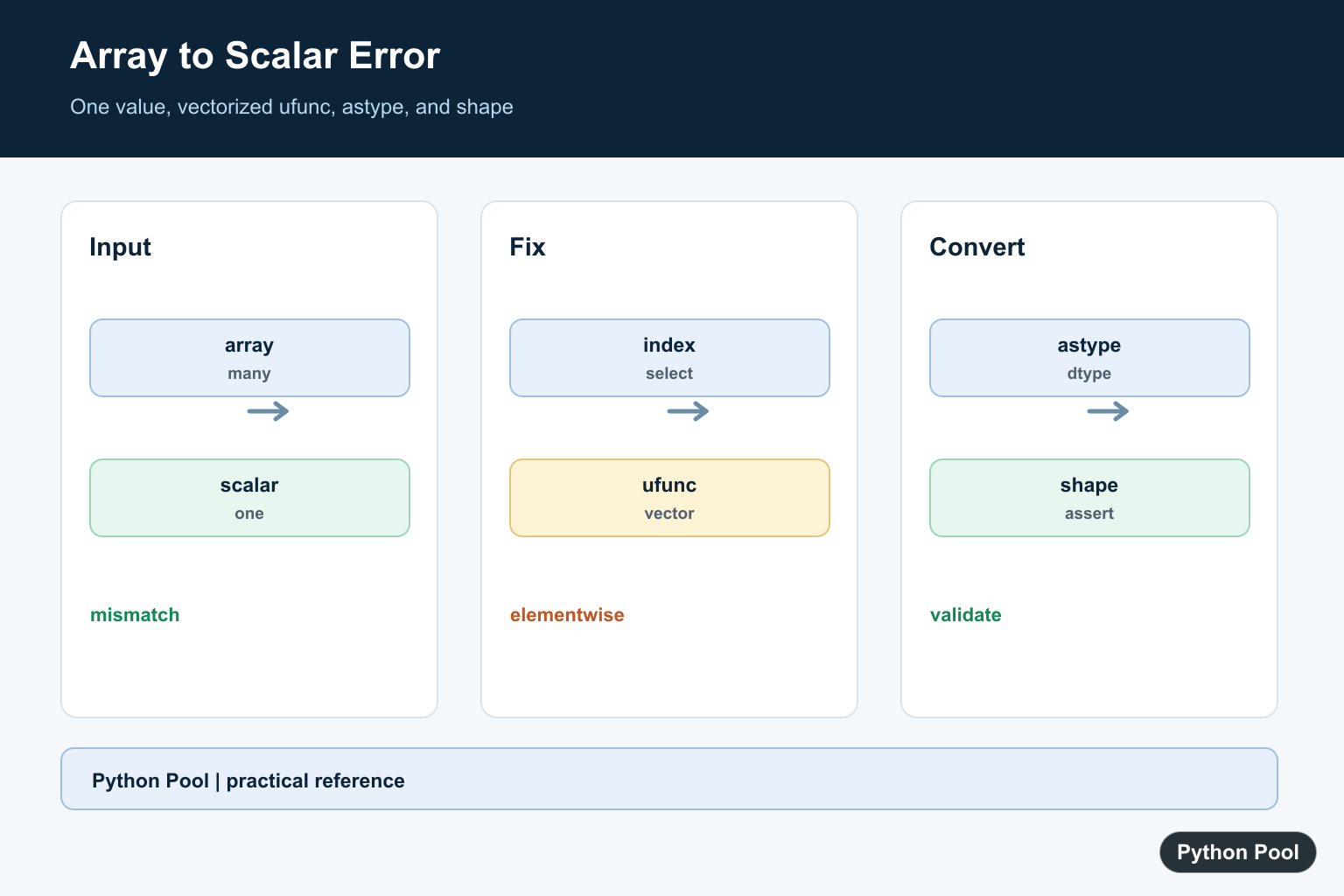
The Python error TypeError: only size-1 arrays can be converted to Python scalars usually appears when code sends a multi-value NumPy array into a function that expects one plain Python value. The function is asking for a scalar, such as one int or one float, but it receives an array with several elements.
The fix depends on what you meant to do. If you want a result for every item in the array, use a NumPy vectorized operation. If you truly need one value, select one element first and then convert it. If you are converting an entire array to another numeric type, use array methods such as astype() instead of wrapping the whole array in int() or float().
Why This TypeError Happens
Many Python standard-library functions work with one number at a time. NumPy arrays can contain many numbers. When a scalar-only function tries to coerce the whole array into one Python scalar, Python cannot choose which element should represent the array, so it raises the TypeError.
import math
import numpy as np

values = np.array([4, 9, 16])

math.sqrt(values)
The code above passes three values to math.sqrt(), which expects one number. For arrays, prefer NumPy functions because they are designed to operate element by element. Treat the error as a shape warning: your code has not made it clear whether it wants one value or many values.
Use NumPy Ufuncs for Array-Wide Math
Universal functions, often called ufuncs, apply the same operation across an array and return an array of results. This is the cleanest fix for most math operations.
import numpy as np

values = np.array([4, 9, 16])

roots = np.sqrt(values)
print(roots)
This returns square roots for all elements. The same idea applies to functions such as np.sin(), np.log(), np.exp(), and many other NumPy operations. For more examples, see PythonPool’s guides to NumPy round() and NumPy log2().
Select One Element When You Need One Scalar
If the function really should receive just one value, index the array first. Use .item() when you want a plain Python scalar instead of a NumPy scalar object.
import math
import numpy as np

values = np.array([4, 9, 16])

first_value = values[0].item()
root = math.sqrt(first_value)

print(root)
This works because first_value is one Python number. Do this only when choosing one element is logically correct. Do not silence the error by selecting the first item if your program actually needs to process the whole array.
Use astype() to Convert an Array Type
Another common trigger is trying to convert an entire NumPy array with int(array) or float(array). That asks Python to turn the whole array into one scalar. To convert every element, use astype().
import numpy as np

values = np.array([1.2, 3.8, 5.1])

whole_numbers = values.astype(int)
print(whole_numbers)
astype() returns a new array with the requested dtype. It keeps the array shape and converts each element, which is usually what you want during data cleanup or numeric preprocessing. This is also easier for another reader to understand because the code states that the conversion is an array-wide operation.
Apply a Custom Python Function Safely
If your transformation is a custom Python function that only accepts one value, call it for each element. A list comprehension is explicit, easy to debug, and often clearer than hiding the loop.
import numpy as np

def score_label(score):
    if score >= 80:
        return "pass"
    return "review"

scores = np.array([91, 73, 88])
labels = [score_label(score.item()) for score in scores]

print(labels)
For a broader comparison of looping styles, see the guides to the Python for loop and the Python map() function.
Use vectorize() as a Convenience Wrapper
np.vectorize() can wrap a scalar Python function so it accepts an array-like input. It is convenient for readability, but it is not a performance substitute for real NumPy ufuncs. Use built-in NumPy operations when they exist.
import numpy as np

def add_tax(price):
    return round(price * 1.08, 2)

prices = np.array([10.0, 12.5, 20.0])
with_tax = np.vectorize(add_tax)(prices)

print(with_tax)
This pattern can be useful for small transformations or for code that is easier to express as a scalar function first. For numerical work on large arrays, prefer native NumPy operations because they are implemented for array processing.
Checklist for Fixing the Error
- Use a NumPy function when every array element needs the same math operation.
- Use indexing plus
.item()when the code genuinely needs one scalar. - Use
array.astype(dtype)to convert every element of an array. - Use a loop, comprehension, or
np.vectorize()for scalar-only custom Python functions.
The core question is always the same: should the result be one value or an array of values? Once that is clear, the fix is usually straightforward. PythonPool’s Python vector with NumPy guide is a useful next step if you are working with arrays, dot products, and vectorized calculations.
Common Cases to Check
Look for calls that combine NumPy arrays with scalar-only tools: math module functions, direct calls to int(), direct calls to float(), and custom helper functions written before the data became an array. In each case, decide whether the correct fix is to keep the operation vectorized or to extract one intentional element. That decision prevents the same TypeError from returning later in the workflow.
References
- NumPy documentation: universal functions
- NumPy documentation: ndarray.astype()
- NumPy documentation: vectorize()
Decide One Or Many
Before changing code, state whether the operation needs one scalar or one result for every array element. The correct fix is different, and forcing many values into one scalar can hide a shape bug.
Use Vectorized NumPy Functions
Replace scalar math functions with their NumPy equivalents when the input is an array. Ufuncs preserve array shape and apply the operation element by element under the documented dtype rules.
Select A Scalar Explicitly
Index or reduce the array before calling int, float, math.sqrt, or another scalar-only function. Validate the index and reduction semantics so the selected value is truly the intended one.
Use astype For Dtype Conversion
astype converts the elements of an array to a requested dtype. Check casting, overflow, NaN behavior, and whether the conversion should produce a copy.
Test Shape Boundaries
Cover a scalar, a size-one array, a multi-element vector, a matrix, empty input, and incompatible dtype. Assert output shape as well as numeric values.
NumPy’s ufunc documentation and astype reference define array-wide operations. Related references include array math, axes, and shape tests.
For related array math, compare array operations, axes, and shape tests when deciding between one scalar and many results.
Frequently Asked Questions
Why does only size-1 arrays can be converted to Python scalars occur?
A function expecting one scalar received an array with multiple elements and cannot choose which value to convert.
How do I convert every array value?
Use the matching NumPy ufunc or an array method instead of wrapping the entire array in int or float.
How do I convert one value?
Index or select the intended element first, then convert that scalar if conversion is required.
When should I use astype?
Use astype when the goal is to convert the dtype of an entire NumPy array under a defined casting policy.
import matplotlib.pyplot as plt
import matplotlib
import numpy as np

def asal(x):
    x=int(x)
    a=int(x**(1/2))
    if x==2:
        return None
    elif x==1:
        return False
    elif x==0:
        return False
    else:
        for i in range(2,a+1):
            if x%i==0:
                return False
                break
def asalliste(x,y):
    x=int(x)
    y=int(y)
    asallist=[]
    for i in range(x,y+1):
        if asal(i)!=False:
            print(i)
            asallist.insert(0,i)
    asallist.reverse()
    print(asallist)
    a = len(asallist)
    print(a)
    return a
t = np.arange(0.,10.,1)
# red dashes, blue squares and green triangles
plt.plot(t,int(asalliste(0,t)))
plt.show()
This code gives this error
y=int(y)
TypeError: only size-1 arrays can be converted to Python scalars
Please help me
Edit:Asal means prime in Turkish
May I know, what are you trying to achieve?
The error is raised because y is an array and you cannot convert an array into an integer.
I have problem with kmean, can you email me? I want to give my data , I’m sorry my bad english
Yes,
Please send me your code at [email protected], I’ll check if it has any errors.
Regards,
Pratik
Hye!! I’ve got a problem, can I email you guys in order to discuss it properly?
Yes sure. I’d suggest you to comment on your problem here so that other coders may solve your problem too.
please how to solve this problem!!!
input
def f(x):
return math.exp(-(x**2))
res=minimize_scalar(f)
print(‘Min= ‘,res.fun)
print(‘x = ‘,res.x)
x=np.linspace(-20,20,1000)
plt.plot(x,f(x),label=’f(x)=-e^-x^2’)
plt.legend()
plt.grid(True)
plt.show()
output:
TypeError: only size-1 arrays can be converted to Python scalars
Here, your x is a numpy array and x**2 doesn’t support it. This is the main cause of the error.
Hi, I am getting this error and cannot fix it for the life of me!
I’ll copy and paste it below. It’s quite long in comparison to the other stuff here.
and the error in my console says:
I assume your
((-(mu + b)*force + b*height)/ms*mu + (ms + mu)*b)*dtandvs[t]are of different datatypes. Check it once.