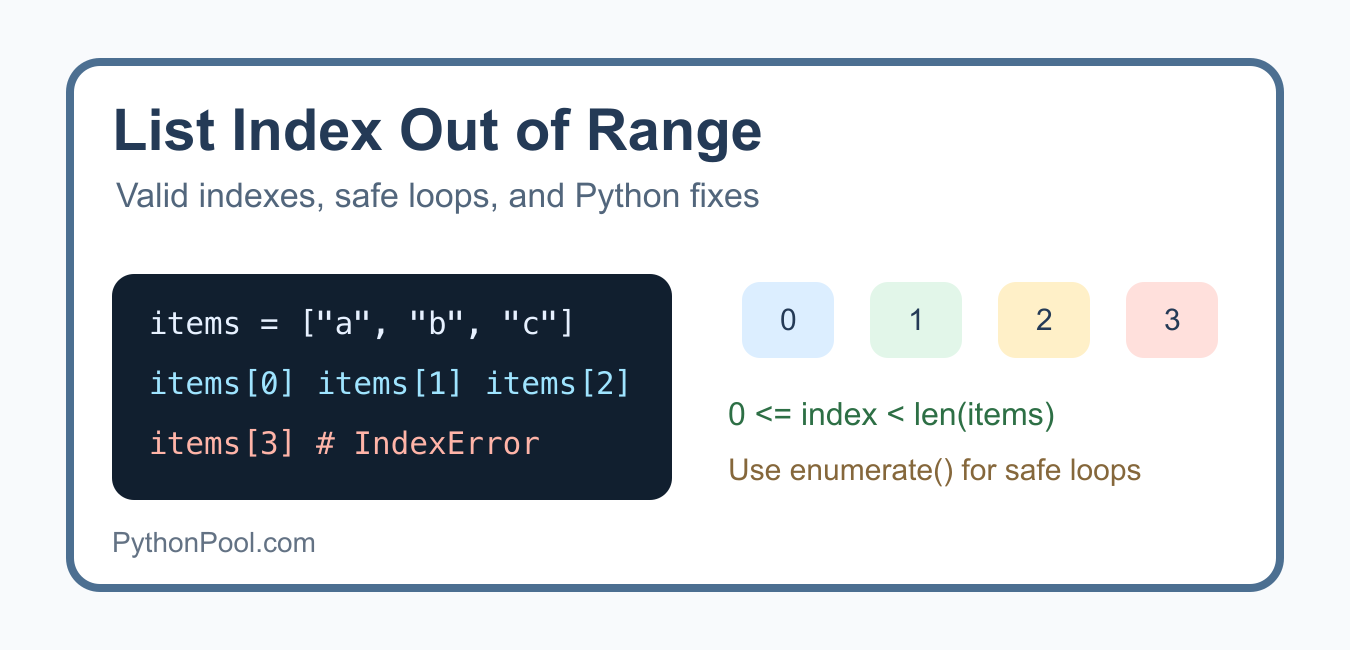
IndexError: list index out of range means that code requested a list position that does not exist. Python lists are zero-indexed: a list with three items has valid indexes 0, 1, and 2. The usual fix is to correct the boundary, iterate over values directly, or check the list before indexing.
Quick answer
Use range(len(items)), not range(len(items) + 1), when manually indexing a list. Prefer for item in items when you do not need an index, and use enumerate(items) when you need both the index and the value. The official IndexError documentation describes this exception as a sequence subscript being out of range.
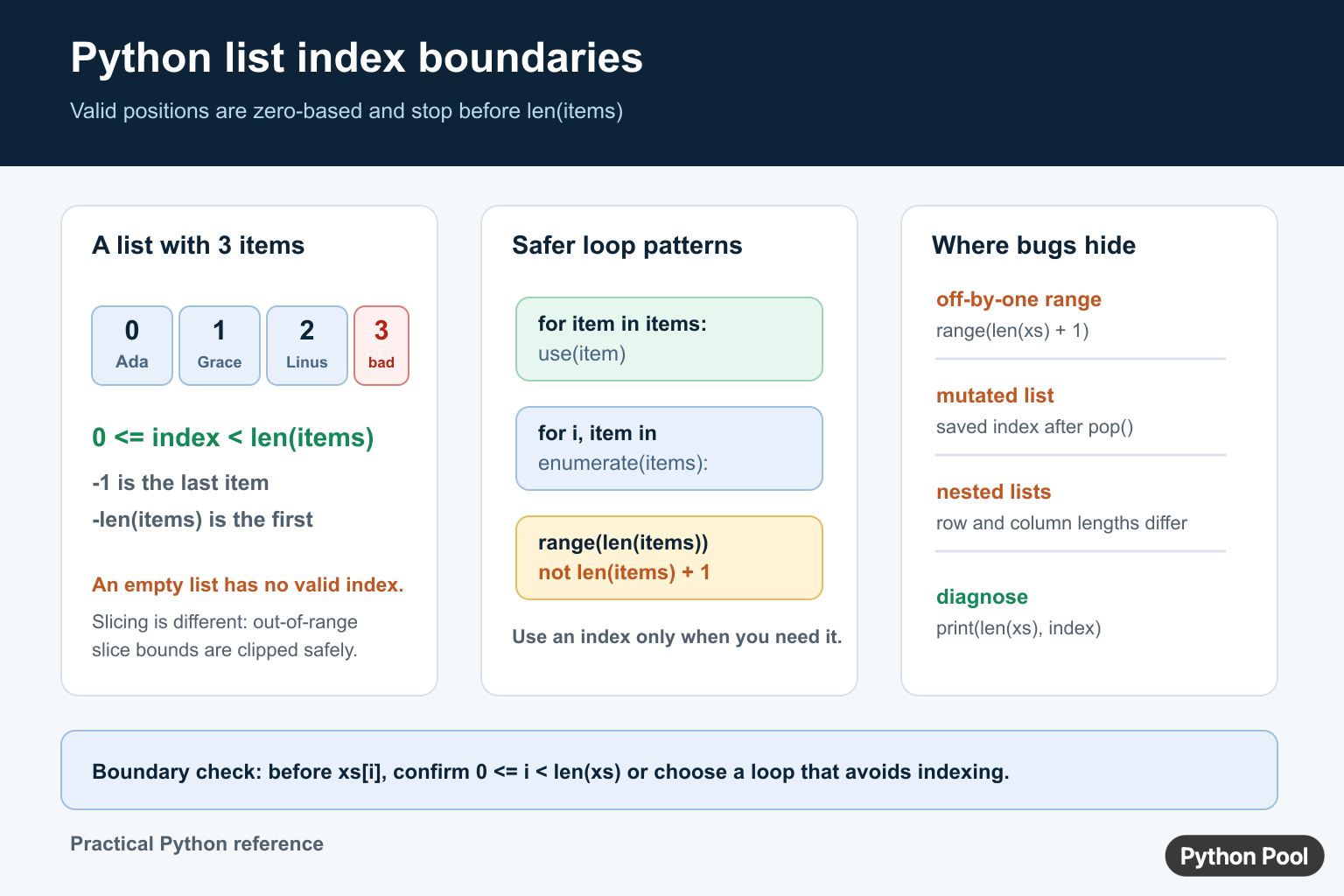
See the valid index range
For a non-empty list, the largest positive index is len(items) - 1. Negative indexes count from the end: -1 is the last item and -len(items) is the first. An empty list has no valid direct index, including -1.
names = ["Ada", "Grace", "Linus"]

print(names[0])
print(names[2])
print(names[-1])
names[3] fails because position 3 would be the fourth item. A useful boundary invariant is 0 <= index < len(names). Check that relationship before indexing when the index comes from outside the loop.
Fix off-by-one loops
The most common mistake is adding one to the length. The stop value passed to range() is exclusive, so range(len(items)) already produces every valid index.
items = [10, 20, 30]

for index in range(len(items)):
    print(index, items[index])
This version is safe even when items is empty. The loop simply runs zero times. By contrast, range(len(items) + 1) creates one extra index at the end.
Iterate without indexing
If the operation needs only each value, direct iteration is simpler and eliminates a boundary to get wrong.
items = [10, 20, 30]

for item in items:
    print(item)
When both pieces of information matter, enumerate() keeps the index and value synchronized.
items = [10, 20, 30]

for index, item in enumerate(items):
    print(index, item)
Check before accessing an index
Use a length check when the index is part of an external request, parsed data, or a separate algorithm. Decide what the missing position means rather than silently swallowing the error.
items = ["first", "second"]
requested = 4

if 0 <= requested < len(items):
    value = items[requested]
else:
    value = None

print(value)
If an empty result is acceptable, next(iter(items), default) can be clearer than indexing. If a missing position indicates invalid input, raise a descriptive exception instead of returning a misleading fallback.
Account for mutation and pop()
An index saved before a list changes may no longer refer to the same value. Removing an item shifts every later position left. Recalculate the index or iterate over a stable copy when mutation is required.
queue = ["a", "b", "c"]
queue.pop(0)

for item in queue:
    print(item)
pop() itself raises IndexError when its target list is empty or the requested position is invalid. Check the list or use a queue abstraction when repeated removal is the real operation.
Handle nested lists separately
Nested indexing has more than one boundary. The outer list can be valid while the selected inner row is empty or shorter than another row.
rows = [["a", "b"], [], ["c"]]

for row in rows:
    if row:
        print(row[0])
Do not assume that every row has the same number of columns unless the data contract guarantees it. Validate each level or normalize the input first.
Why try/except is not the first fix
Catching IndexError can be appropriate at a deliberate boundary, but it should not hide an off-by-one bug. First identify whether the loop, input validation, mutation, or nested shape is wrong. Then catch only the error you can handle and provide a meaningful fallback.
Use a safe access policy
There is no single best replacement for invalid indexing. If the item is optional, return a default. If the item is required, validate the input and raise a message that names the bad position. If the task is to get the first available value, use iteration rather than assuming that position zero exists.
def get_at(items, index, default=None):
    if -len(items) <= index < len(items):
        return items[index]
    return default

print(get_at([], 0, "missing"))
print(get_at(["a", "b"], -1, "missing"))
Be careful with negative indexes in a helper. The lower bound is inclusive at -len(items), while an index smaller than that is invalid. A helper should document whether it accepts negative indexes or whether callers must provide non-negative positions.
Do not mutate while relying on old positions
Removing items while iterating forward can skip values and leave a saved index pointing at a different element. Prefer a new filtered list when the transformation is simple. If in-place removal is required, iterate over a copy, walk indexes in reverse, or use a loop whose next position is deliberately recalculated.
values = [1, 2, 3, 4, 5]
kept = [value for value in values if value % 2]
print(kept)
This avoids changing the list while its iterator is deciding which position comes next. The same principle applies to queues, pagination results, and any data structure that can be changed by another callback while a loop is running.
Distinguish indexes from values
A frequent source of confusion is passing a value to a position-based operation. items[index] expects a position, while items.index(value) searches for a value and can raise ValueError when it is absent. Decide which question the code is asking before selecting the API.
items = [10, 20, 30]
position = items.index(20)
print(position, items[position])
If duplicate values are possible, index() returns the first match. If all matching positions matter, use enumerate() with a condition instead of assuming that one index represents the complete result.
Debug the boundary with a small checklist
Inspect the list length, the index value, and the list shape immediately before the failing access. Confirm whether a previous pop(), filter, API response, or nested loop changed the data. Then add tests for the empty case, the first valid position, the last valid position, and the first invalid position. Boundary tests are more useful here than testing only a typical middle element.
For nearby list operations, see how to combine lists and how break exits a loop.
Frequently Asked Questions
What causes list index out of range in Python?
It occurs when code requests an index outside the list’s valid zero-based positions, including on an empty list.
How do I fix an off-by-one list loop?
Use range(len(items)) instead of range(len(items) + 1), or iterate over the values directly.
What is the last valid index of a Python list?
For a non-empty list, the last positive index is len(items) – 1 and -1 refers to the same final item.
Does list slicing raise IndexError?
Normal slice bounds are clipped safely, but direct indexing and pop() still raise IndexError for invalid positions.
Thank you very helpful