
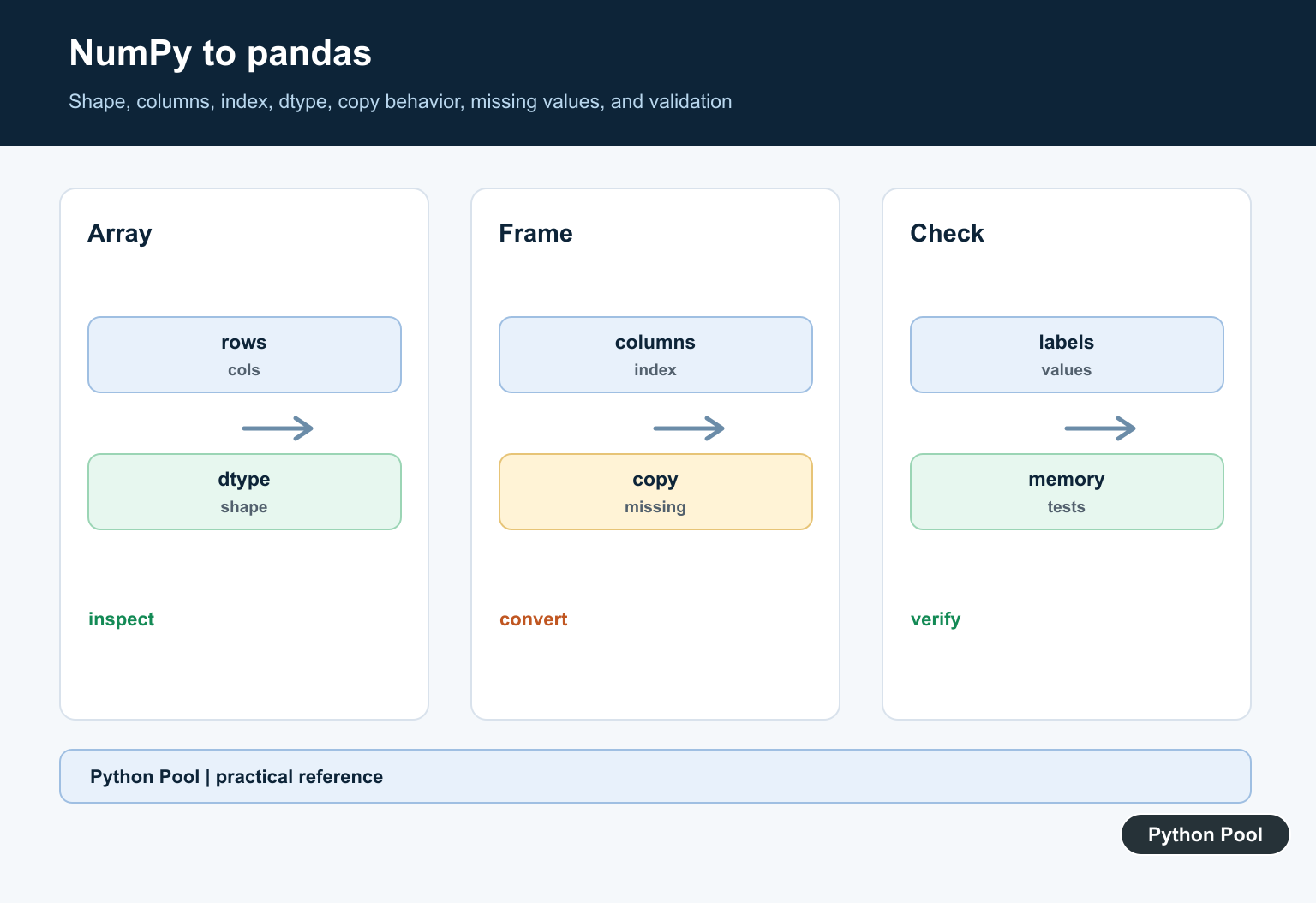
Quick answer: Convert a NumPy array to a pandas DataFrame by checking its rank and shape, supplying labels when needed, and deciding copy and dtype behavior. A correct conversion preserves the intended row and column meaning, not only the values.
Introduction
In Python data work, it is common to move from a NumPy array into a pandas DataFrame so you can label columns, inspect rows, and use pandas analysis tools. In this tutorial, we will see practical ways to convert a NumPy array to a pandas DataFrame using the official pandas DataFrame constructor.
What is a NumPy Array?
NumPy arrays are the grid of values of the same type and indexed by a tuple of non-negative integers.
<div class="pythonpool-code-scroll" style="max-width:105%;overflow-x:auto;-webkit-overflow-scrolling:touch;">import NumPy as np
arr = np.array((1, 2, 3, 4, 5))
print(arr)</div>
Output:
[1 2 3 4 5]What is Pandas DataFrame?
A pandas DataFrame is a two-dimensional, size-mutable table with labeled rows and columns. It can hold heterogeneous data, so different columns can contain different data types.
<div class="pythonpool-code-scroll" style="max-width:105%;overflow-x:auto;-webkit-overflow-scrolling:touch;">import pandas as pd
lst = ['Latracal', 'Solution', 'an', 'online',
            'portal', 'for', 'languages']
df = pd.DataFrame(lst)
print(df)</div>
Output:
       0
0   Latracal
1   Solution
2         an
3     online
4     portal
5        for
6  languages
Syntax of Pandas DataFrame
pandas.DataFrame(data=None, index=None, columns=None, dtype=None, copy=None)Parameter of Pandas DataFrame
- data: The input data, such as a NumPy array, list, dictionary, or another DataFrame-like object.
- index: Optional row labels for the resulting DataFrame.
- columns: Optional column labels for the resulting DataFrame.
Steps to Convert NumPy Array to Pandas DataFrame
- Import the modules pandas and NumPy.
- Create the NumPy array.
- Create the list of index values and column values for the DataFrame.
- Then, create the DataFrame.
- At last, display the DataFrame.
Various Examples to Convert NumPy Array to Pandas DataFrame
Let us understand the conversion of the NumPy array to a pandas DataFrame with the help of different methods and ways explained in detail with the help of examples: Before constructing a DataFrame, Check if a NumPy Array Is Empty shows how to distinguish a truly empty NumPy array from an array containing empty-looking values.
1. Using NumPy array from random.rand method to Convert NumPy array to Pandas DataFrame
In this example, we will take the input of the NumPy array from random.rand() function in NumPy. and then apply the DataFrame constructor to convert it to a pandas DataFrame. When the source value is a framework tensor rather than an ndarray, Convert a Tensor to a NumPy Array shows the detach, CPU, and NumPy conversion steps.
<div class="pythonpool-code-scroll" style="max-width:105%;overflow-x:auto;-webkit-overflow-scrolling:touch;">#import NumPy and pandas module
import NumPy as np
import pandas as pd

arr = np.random.rand(4, 4)
print("NumPy array : ",arr )

# conversion into DataFrame
df = pd.DataFrame(arr, columns =['A', 'B', 'C', 'D'])
print("\nPandas DataFrame: ")
print(df)</div>
Output:
NumPy array :  [[0.93845309 0.89059495 0.51480681 0.06583541]
 [0.94972596 0.55147651 0.40720578 0.86422873]
 [0.53556404 0.7760867  0.80657461 0.37336038]
 [0.21177783 0.90187237 0.53926327 0.06067915]]
Pandas DataFrame:
       A         B         C         D
0  0.938453  0.890595  0.514807  0.065835
1  0.949726  0.551477  0.407206  0.864229
2  0.535564  0.776087  0.806575  0.373360
3  0.211778  0.901872  0.539263  0.060679
Explanation:
First, we import NumPy and pandas. Then we create a 4 by 4 NumPy array with random.rand(). Passing that array to pd.DataFrame() creates the DataFrame, and the columns argument labels the four columns from A to D. If you do not set labels, pandas uses default integer labels starting at 0.
2. Using NumPy array with random.rand and reshape()
In this example, we will be taking the input in random.rand().reshape() function. Secondly, we will apply the DataFrame constructor with the index values and columns and print the converted DataFrame from the NumPy module.
<div class="pythonpool-code-scroll" style="max-width:105%;overflow-x:auto;-webkit-overflow-scrolling:touch;">#import module: NumPy and pandas
import NumPy as np
import pandas as pd

arr = np.random.rand(6).reshape(2, 3)
print("NumPy array : " ,arr)

# converting into DataFrame
df = pd.DataFrame(arr, columns =['1', '2', '3'])
print("\nPandas DataFrame: ")
print(df)</div>
Output:
NumPy array :  [[0.05949315 0.66499294 0.39795918]
 [0.93026286 0.42710097 0.70753262]]
Pandas DataFrame:
      1         2         3
0  0.059493  0.664993  0.397959
1  0.930263  0.427101  0.707533
Explanation:
First, we have imported two modules, i.e., NumPy and pandas. Secondly, we have taken an input array from random.rand().reshape() method from the NumPy module and print the input array. Thirdly, we have applied the syntax to convert it into a DataFrame in which we have set the values of columns from 1 to 4.
If we don’t set the rows and columns, these are set by default starting from the index 0. At last, we have printed the DataFrame. Hence, you can see the output and convert the array to the DataFrame.
3. Using NumPy array to Convert NumPy array to Pandas DataFrame
In this example, we will take input from np.array() and then convert the NumPy array to pandas DataFrame through DataFrame constructor.
<div class="pythonpool-code-scroll" style="max-width:105%;overflow-x:auto;-webkit-overflow-scrolling:touch;">#import module NumPy and pandas
import NumPy as np
import pandas as pd

arr = np.array([[1, 2], [3, 4]])
print("NumPy array : ",arr)

# converting into DataFrame
df = pd.DataFrame(data = arr, index =["row1", "row2"],
                  columns =["col1", "col2"])

print("\nPandas DataFrame: ")
print(df)</div>
Output:
NumPy array :  [[1 2]
 [3 4]]
Pandas DataFrame:
       col1  col2
row1     1     2
row2     3     4
Explanation;
First, we have imported two modules, i.e., NumPy and pandas. Secondly, we have taken an input array np.array() method from the NumPy module and printed the input array.
Thirdly, we have applied the syntax to convert it into a DataFrame in which we have set the values of rows from row1, row2, and columns from col1, col2. If we don’t set the rows and columns, these are set by default starting from the index 0. At last, we have printed the DataFrame. Hence, you can see the output and convert the array to the DataFrame.
4. Creating an empty DataFrame
In this example, we will show how to create an empty DataFrame and then print it.
<div class="pythonpool-code-scroll" style="max-width:105%;overflow-x:auto;-webkit-overflow-scrolling:touch;">#import pandas module and NumPy module
import pandas as pd
import NumPy as np

df = pd.DataFrame(np.nan, index=[0,1,2], columns=['A'])
print(df)</div>
Output:
   A
0 NaN
1 NaN
2 NaN
Explanation:
Here, np.nan fills the DataFrame with missing values, not zeros. The index argument sets row labels 0, 1, and 2, while columns=['A'] creates one named column.
5. Generating rows and columns through iteration
In this example, we will generate index columns and column headers through iteration.
<div class="pythonpool-code-scroll" style="max-width:105%;overflow-x:auto;-webkit-overflow-scrolling:touch;">#import module: NumPy and pandas
import pandas as pd
import NumPy as np

arr = np.array([[1, 2, 3],
                       [4, 5, 6]])

df = pd.DataFrame(data = arr[0:, 0:],
                        index = ['Row_' + str(i + 1)
                        for i in range(arr.shape[0])],
                        columns = ['Column_' + str(i + 1)
                        for i in range(arr.shape[1])])

print(df) </div>
Output:
          Column_1  Column_2  Column_3
Row_1         1         2         3
Row_2         4         5         6
Explanation:
First, we have imported two modules, i.e., NumPy and pandas. Secondly, we have taken an input array np.array() method from the NumPy module and printed the input array. Thirdly, we have applied the syntax to convert it into a DataFrame in which we have set the values of rows and columns with the help of iteration through for loop.
If we don’t set the rows and columns, these are set by default starting from the index 0. At last, we have printed the DataFrame. Hence, you can see the output and convert the array to the DataFrame.
6. Generating Rows And Columns before converting into a DataFrame
In this example, we will be taking input from a NumPy array. Then, we will set the index columns and column headers separately, and after that, we will put the value of rows and columns inside the DataFrame constructor.
<div class="pythonpool-code-scroll" style="max-width:105%;overflow-x:auto;-webkit-overflow-scrolling:touch;">#import module: NumPy and pandas
import pandas as pd
import NumPy as np

arr = np.array([[1, 2, 3],
                       [4, 5, 6]])

index = ['Row_' + str(i)
        for i in range(1, len(arr) + 1)]

columns = ['Column_' + str(i)
          for i in range(1, len(arr[0]) + 1)]

df = pd.DataFrame(arr ,
                        index = index,
                        columns = columns)

print(df) </div>
Output:
     Column_1  Column_2  Column_3
Row_1    1         2         3
Row_2    4         5         6
Explanation:
First, we have imported two modules, i.e., NumPy and pandas. Secondly, we have taken an input array np.array() method from the NumPy module and printed the input array. Thirdly, we have set the value for the rows and columns in the variable name as Index and columns with the help of iteration through for loop.
Fourthly, we have applied the syntax to convert it into a DataFrame in which we have set the values of rows and columns with the values defined before the DataFrame function. If we don’t set the rows and columns, these are set by default starting from the index 0. At last, we have printed the DataFrame. Hence, you can see the output and convert the array to the DataFrame.
Related NumPy and Pandas guides
For nearby data-workflow topics, read these Python Pool guides next: Pandas iloc examples, fixing module pandas has no attribute DataFrame, fixing DataFrame object has no attribute append, converting PIL images to NumPy arrays, and saving NumPy arrays.
Conclusion
In this tutorial, we discussed creating pandas DataFrame from the NumPy array. We have also discussed how we can create and write the program for converting the NumPy array to a pandas DataFrame. All the examples are explained in detail for a better understanding. You can use any of the programs as per your requirements.
Check The Shape
A DataFrame is two-dimensional. Reshape a one-dimensional array when it represents one column, or use a Series when a one-column labeled vector is the clearer model.
Add Labels Deliberately
Pass columns with one label per second-axis value and an index with one label per row. Validate lengths before conversion so labels cannot silently describe the wrong field.
Understand Dtypes
Numeric, string, object, and structured dtypes can convert differently. Inspect dtypes after construction instead of assuming the NumPy dtype maps to the desired pandas behavior.
Decide Copy Ownership
Memory sharing depends on dtype, layout, and library version. Use copy explicitly when independent mutation matters and test the object that downstream code will modify.
Handle Missing Values
Decide whether missing data is represented by NaN, None, a nullable dtype, or a domain sentinel before conversion and analysis.
Validate The Result
Check shape, labels, dtypes, sample values, missingness, mutation behavior, and serialization with representative one-dimensional, two-dimensional, empty, and Unicode inputs.
Use the official pandas DataFrame documentation and NumPy array documentation. Related Python Pool references include testing and arrays.
For related tabular workflows, compare NumPy shapes, column mappings, and conversion tests before building a DataFrame.
Frequently Asked Questions
How do I convert a NumPy array to a pandas DataFrame?
Pass the array to pandas.DataFrame and provide columns or an index when those labels are part of the data contract.
Can a one-dimensional NumPy array become a DataFrame?
Yes, reshape it to a two-dimensional shape or use a Series when one labeled column is the more natural model.
Does pandas copy the NumPy array?
Copy and memory-sharing behavior depends on dtype, layout, and the pandas version, so do not assume mutation is independent without testing or using copy explicitly.
How do I set DataFrame column names?
Pass a columns sequence with the same length as the array’s second dimension and validate the shape before conversion.